Domains
Each published website gets a free address at your-name.lyxvo.ai. With a website plan you can also connect a domain you bought, like www.yourshop.com.
- 1Publish the website from the editor (top bar).
- 2Pick its free address here: name.lyxvo.ai.
- 3Optional: connect your own domain (Manage). Where you bought it, add CNAME www → domain.lyxvo.ai, and forward the address without www (301) to your free name.lyxvo.ai address. Domain at Hostinger? The panel does both for you.
How to point your domain here
Do this where you bought the domain (the registrar's DNS settings). It takes 5 minutes; the internet can take up to a few hours to see it.
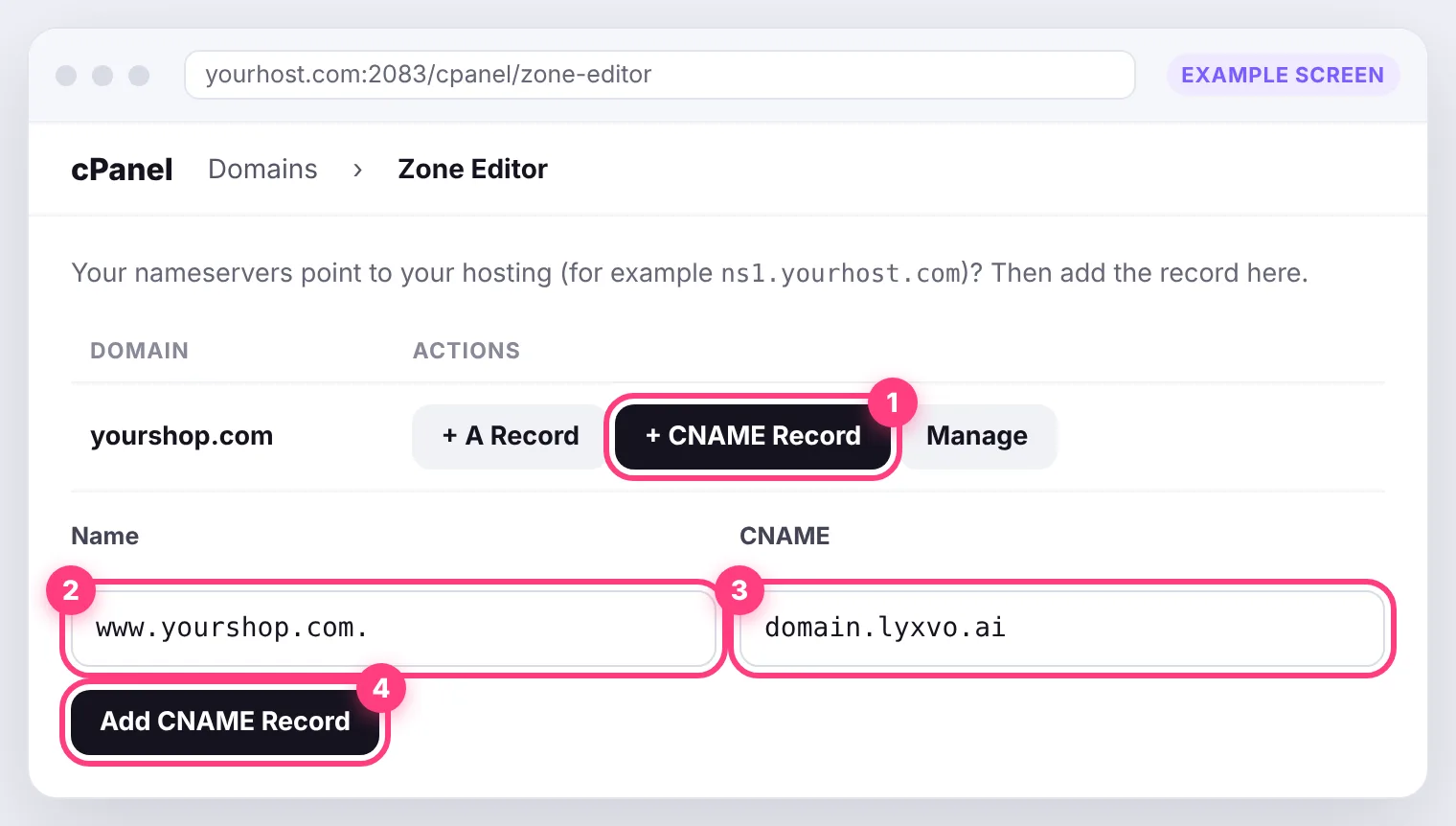
No need to change the nameservers (NS1 / NS2): leave them as they are and only add the one record below. Add it where your nameservers point: still the registrar's own nameservers → the registrar's DNS page; nameservers pointing to your hosting (e.g. ns1.yourhost.com) → your hosting's cPanel → Zone Editor; Cloudflare → Cloudflare's DNS page.
- Open your domain's DNS settingsLog in where you bought the domain, open the domain, then DNS / Manage DNS / DNS Records / Zone Editor.
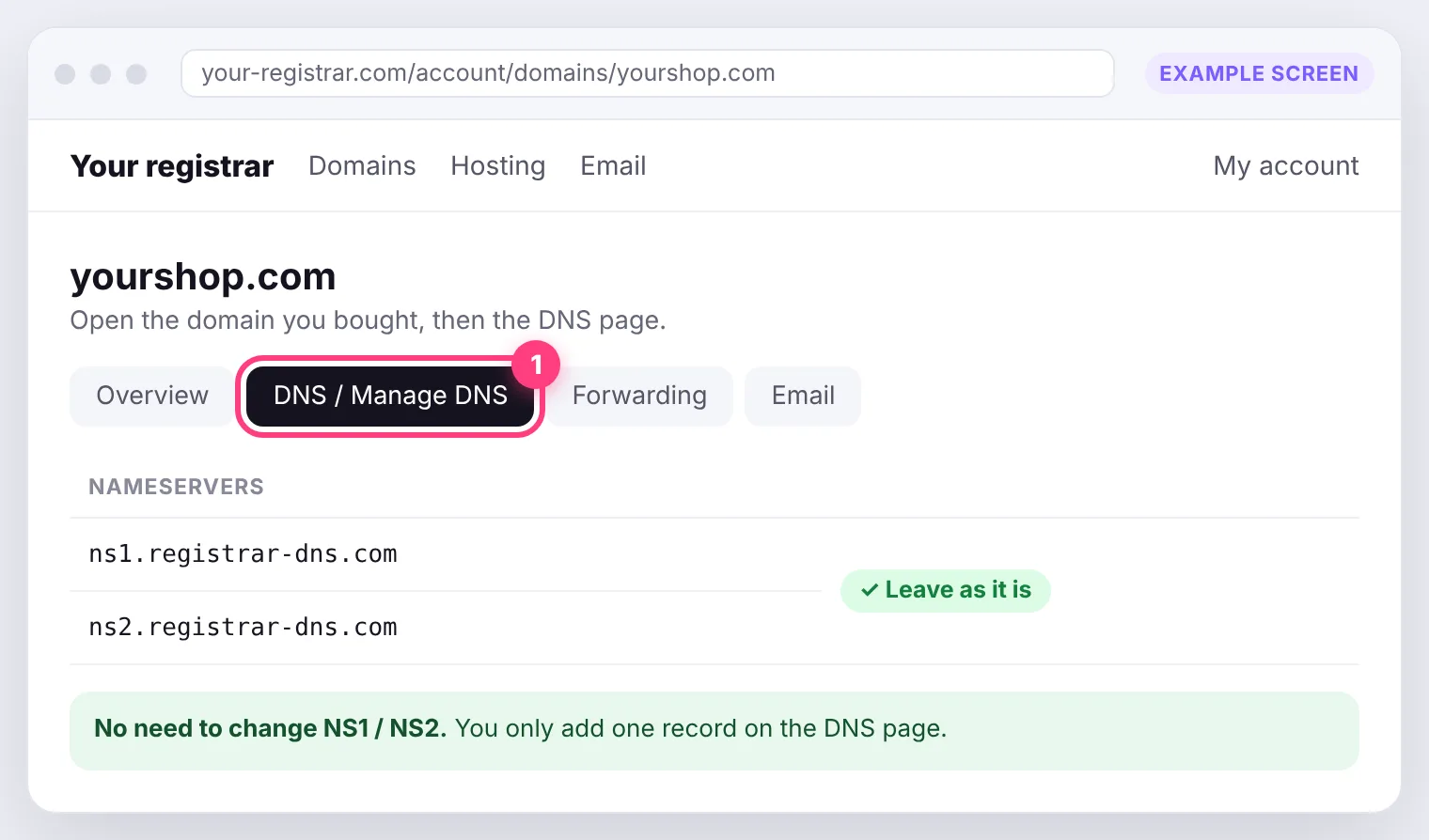 Example screen: your registrar's page may look a little different, but the boxes are the same. Tap to enlarge.
- Add one CNAME record
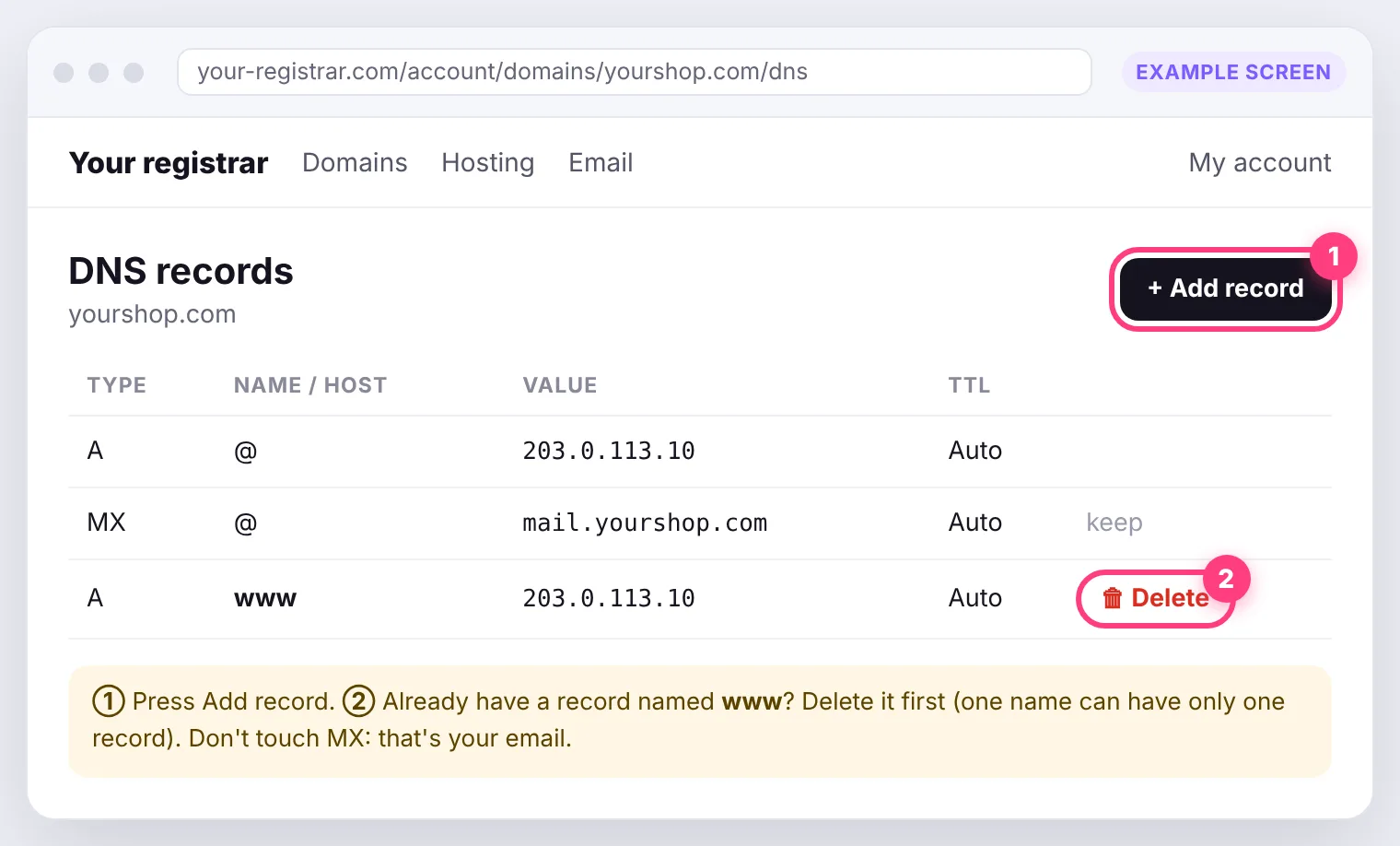
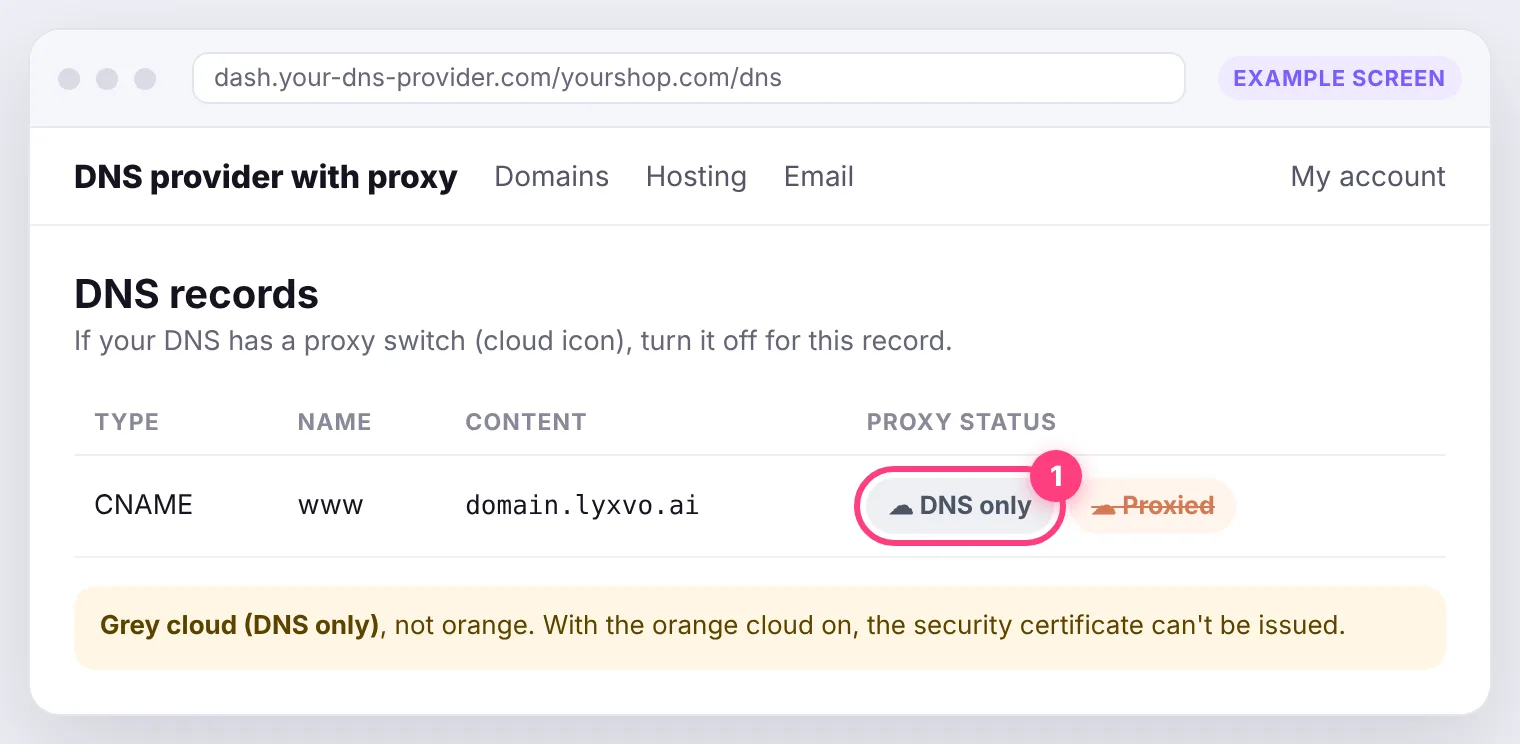
Type CNAMEName (Host) wwwValue (Points to / Target) domain.lyxvo.aiTTL Auto (or 1 hour) 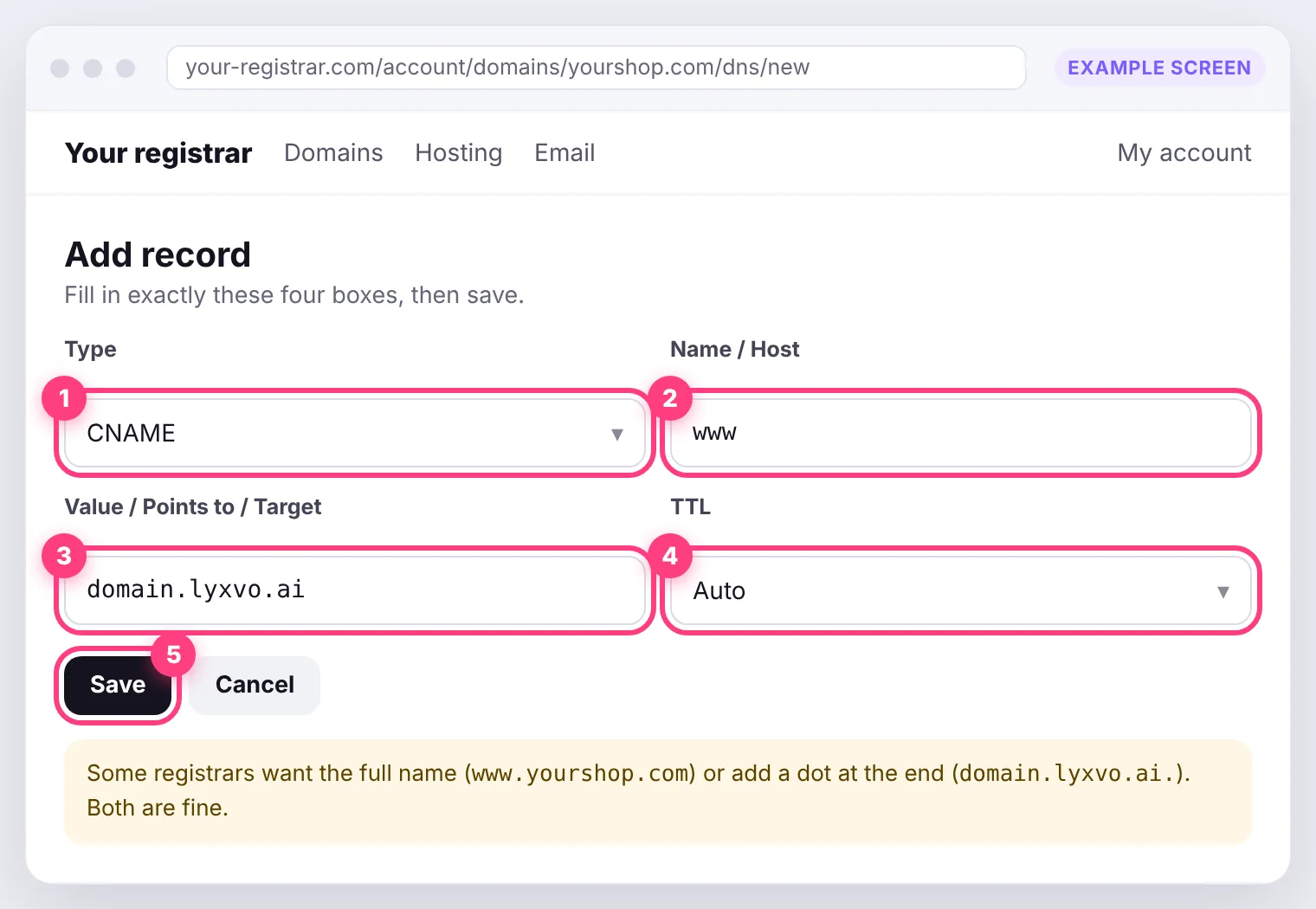 domain.lyxvo.ai is Lyxvo's address that your domain points to, like call forwarding: visitors type www.yourshop.com and the website comes from Lyxvo. You don't open or buy domain.lyxvo.ai; just paste it into the record.If a record named www already exists (A, AAAA or CNAME), delete it first: a name can have only one.Your domain is on Cloudflare? Set the record to DNS only (grey cloud), not Proxied (orange).
- Make the bare domain work too (yourshop.com)The address without www can't point to Lyxvo directly. Where you bought the domain, open Domain forwarding / Redirect and forward yourshop.com (301, permanent) to your website's free address https://your-name.lyxvo.ai (shown in Publish & domain); it sends visitors on to https://www.yourshop.com. If the registrar asks, delete the A or ALIAS record on @ first.
- Come back and press Connect domain (or Check again)We check the record and issue the security certificate (https) by ourselves. The status turns Connected, usually within minutes.
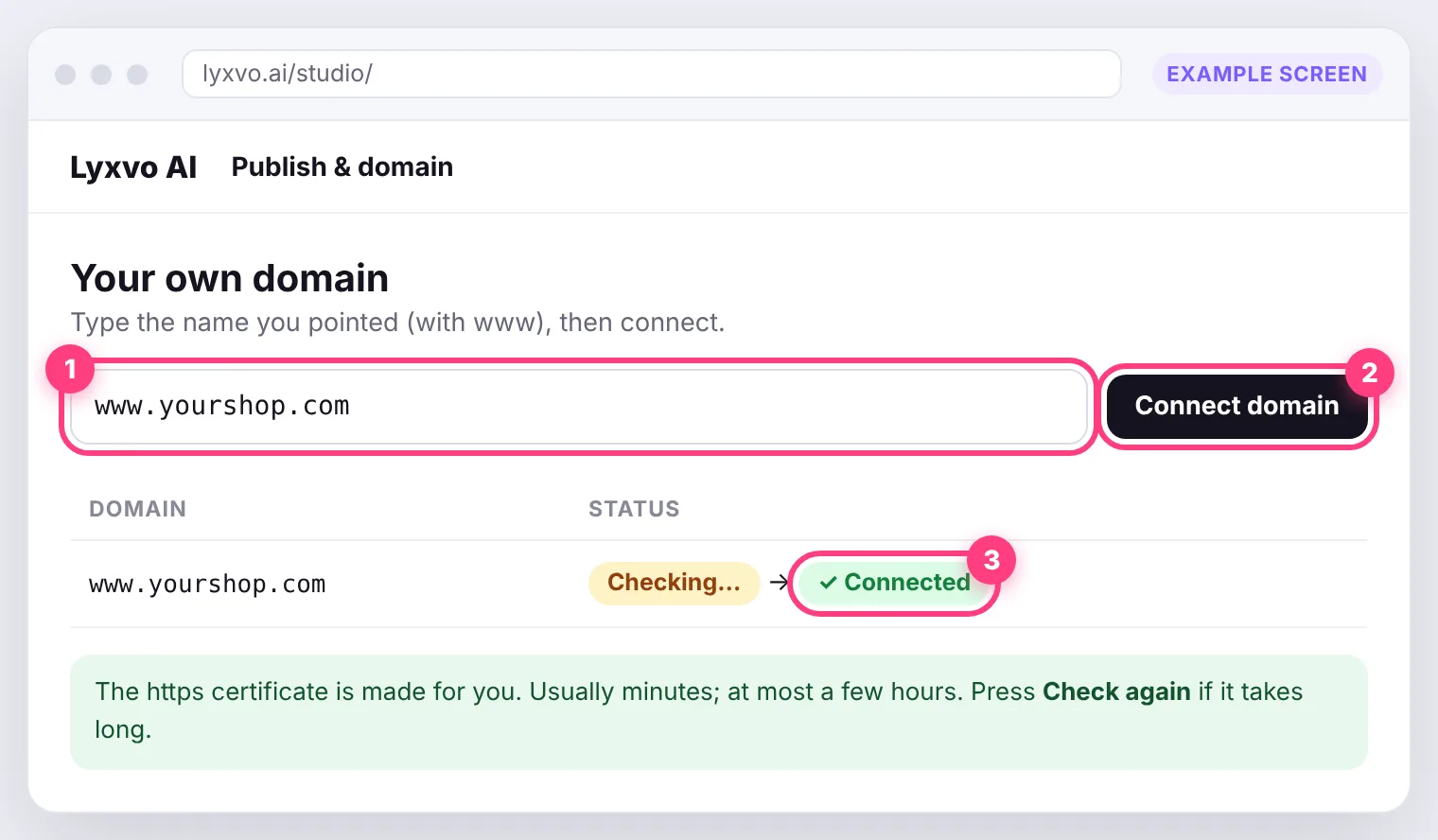
Domain at Hostinger? In Publish & domain connect your Hostinger account once and press Set DNS automatically: every record above is added for you.
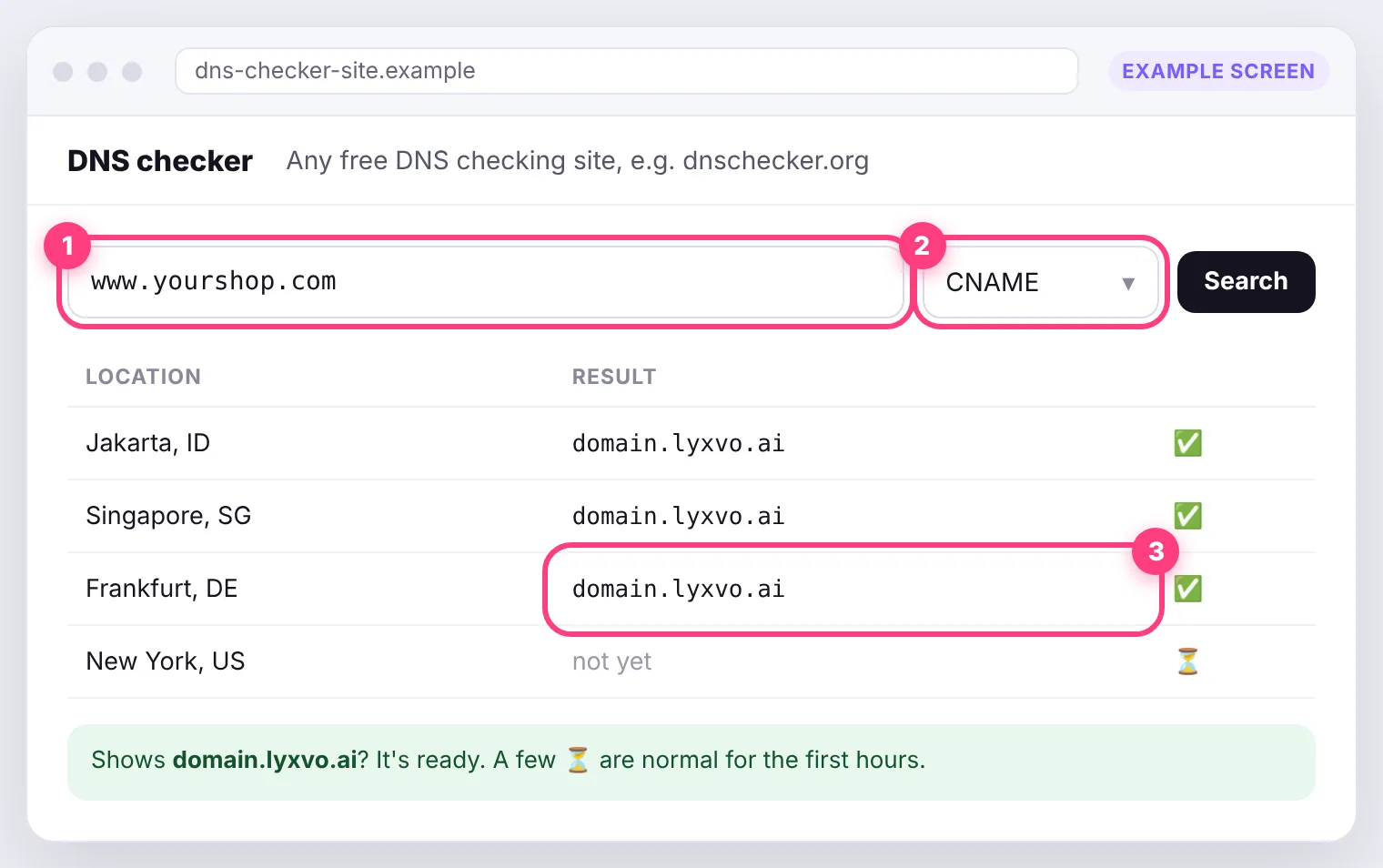
Check it yourself: open dnschecker.org, choose CNAME, type www.yourshop.com. When it shows domain.lyxvo.ai, it's ready.
Your email keeps working: this record only touches www.yourshop.com, not your MX (email) records.
Where to find DNS at common registrars
- Niagahoster / HostingerDomains → your domain → DNS / Nameservers → Manage DNS records
- Rumahweb / Dewaweb / IDCloudHostClient area → Domains → your domain → DNS Management
- DomaiNesiaMember area → Domain → your domain → DNS Management (Kelola DNS)
- Hosting with cPanelcPanel → Domains → Zone Editor → your domain → + CNAME Record
- GoDaddyMy Products → Domains → DNS → Add New Record
- NamecheapDomain List → Manage → Advanced DNS → Add New Record
- CloudflareYour site → DNS → Records → Add record (DNS only)
- Google / Squarespace DomainsDomains → your domain → DNS → Custom records