AI Business Card for Real Estate Agent: How to Design One That Gets Calls
An AI business card for a real estate agent is a card you design quickly with an AI tool, then adapt for your listings, your area and your brand. This guide explains what a real estate card needs, how to lay it out for print, and how to build one in Lyxvo AI.
Why a real estate agent's card is different
A business card is often the first thing a prospect keeps after a conversation. For a real estate agent, the card has one job: make it easy for someone to call, text or find your listings later. That means the card must carry three things clearly: who you are, how to reach you, and why you are the person to trust with a home purchase or sale.
Unlike a generic card, a real estate card can use local signals. A neighborhood name, a specialty like first-time buyers or luxury condos, or a short line about years in your market all help a stranger remember you.
What to include on the card
Keep the front simple and the back useful. Here is a practical checklist:
- Full name and title, such as "Licensed Real Estate Agent" or the license wording your region requires
- Brokerage name and logo, so people know who stands behind you
- Mobile number, the number clients actually reach you on
- Email and website or listings link
- Service area, for example a city or district
- Specialty line, one short phrase such as "Helping young families buy their first home"
- QR code linking to your current listings or a contact page
- Photo (optional), useful if people meet you before they see your name online
Check your local rules on required license numbers and brokerage disclosures before printing. Requirements vary by country and state, so confirm them with your brokerage.
Layout and print basics
Most business cards are printed at 3.5 x 2 inches (about 89 x 51 mm) in the US, or 85 x 55 mm in many other markets. Add a bleed (extra image area past the trim line), usually about 3 mm, and keep text at least 3 mm inside the trim so nothing gets cut off. Design at 300 dpi for sharp print.
For readability, keep the name large, use no more than two fonts, and leave white space around the contact block. A dark or colored background looks premium but can make small text harder to read, so test it at real size.
Front versus back
Use the front for your name, logo and one brand color or photo. Put your contact details and QR code on the back, or split them across both sides if the design is busy. A clear back is what people scan or save later.
How to make one in Lyxvo AI
Lyxvo AI's design agent can plan and build a card from a short brief, then you edit it in the Canva-style editor. A simple workflow:
- Open the AI business card maker and describe your brand: your name, brokerage, area, specialty and preferred colors.
- Let the agent generate a first layout. Ask for a front and back so the contact details are placed for you.
- Edit text, photos and colors directly in the editor. Swap in your headshot, your logo and your real phone number.
- If you need a matching logo, create one with the AI logo generator first, then place it on the card.
- Export at real size. Lyxvo AI supports PNG at real size and prints at 300 dpi, so you can send the file to your printer with bleed set correctly.
If you also run social accounts, you can reuse the same colors and fonts in a social media post or an open house flyer so your brand looks consistent everywhere.
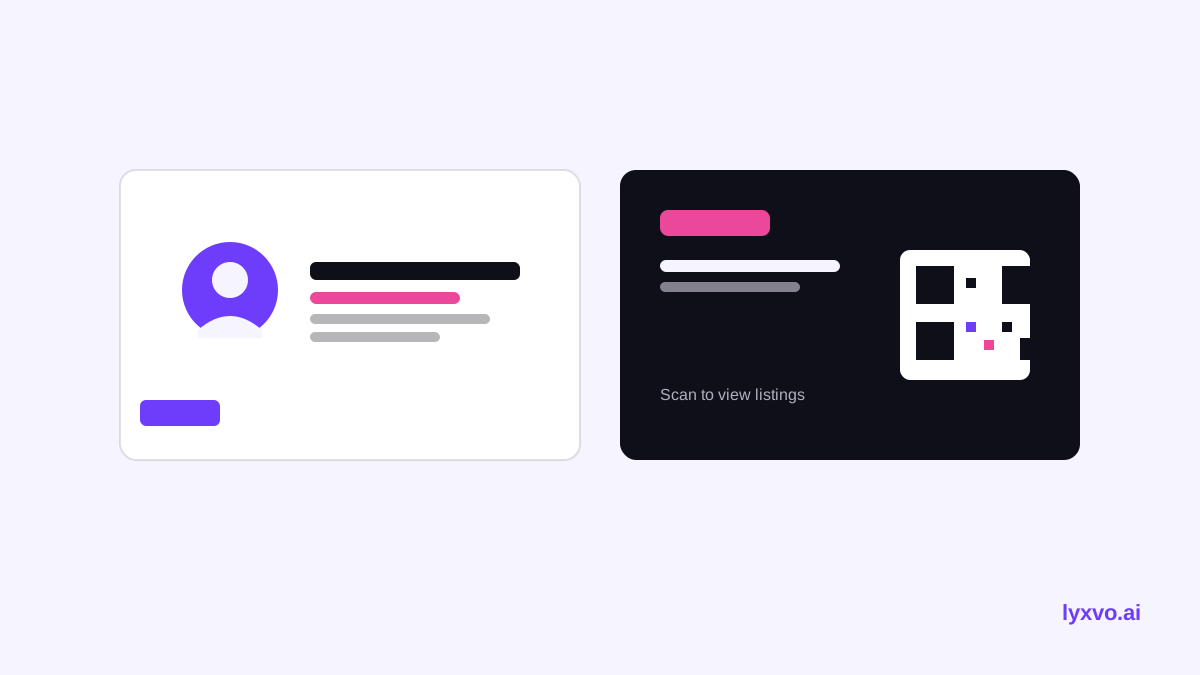
Sample card content for a real estate agent
| Element | Example |
|---|---|
| Name and title | Jordan Lee, Licensed Real Estate Agent |
| Brokerage | Harbor Realty Group |
| Phone and email | +1 555 010 0123, jordan@example.com |
| Service area | Riverside and Eastside neighborhoods |
| Specialty line | Helping first-time buyers close with confidence |
| QR code | Links to current listings |
Use placeholder details like these when you test a layout, then replace them with your own information before printing.
Tips that make the card work
- Put your photo where people can see it. Clients remember faces, especially at open houses.
- Match the card to your online profile. The same headshot and colors on your website and social accounts builds trust.
- Make the QR code useful. Send it to a listings page or a quick contact form, not a generic homepage.
- Print a small test batch first. Check legibility and colors on real paper before ordering hundreds.
- Update the card when your details change. A new brokerage or phone number should trigger a reprint.
Using AI for variations
You may want different cards for different roles, such as a buyer specialist card and a listing agent card. Build one master design, then duplicate it and change the specialty line and QR link. This keeps your brand consistent while you test which message gets more calls.
Final checklist before you print
- Name, title and licence wording are correct for your region
- Phone number and email are typed correctly and tested
- QR code scans and goes to the right page
- Bleed and safe margins are set (3 mm bleed, text kept inside the trim)
- File is 300 dpi and exported at real size
- Colors look right on a printed proof
A well-built AI business card for a real estate agent takes less time than you think. Start with a clear brief, keep the layout simple, and verify the details before you order, and your card will do its job every time you hand it over.
Try it in Lyxvo AI
Describe it in your own words and the design agent starts on the right flow. Free to start.
Related tool: AI business card maker, print-ready