AI Decor Moodboard for Airbnb Host Listing Photos
An AI decor moodboard for Airbnb host listing photos helps you decide the look of a space before you buy a single cushion or move a single chair. A clear moodboard keeps your photos consistent, your shopping list short, and your guests' expectations in line with what they will actually see. This guide walks through how to plan a listing's decor, what to put on the board, and how to use Lyxvo AI's interior design tools to turn a room photo into a usable plan.
Why a moodboard matters for listing photos
Guests decide in seconds whether a listing feels worth booking. Photos are the first filter, and they work best when every room looks like it belongs to the same place. A moodboard gives you one reference for colors, textures, furniture style and lighting, so each room supports the same story.
A moodboard also saves money. Instead of buying items one at a time and discovering they clash, you plan the whole set first and buy only what the board calls for.
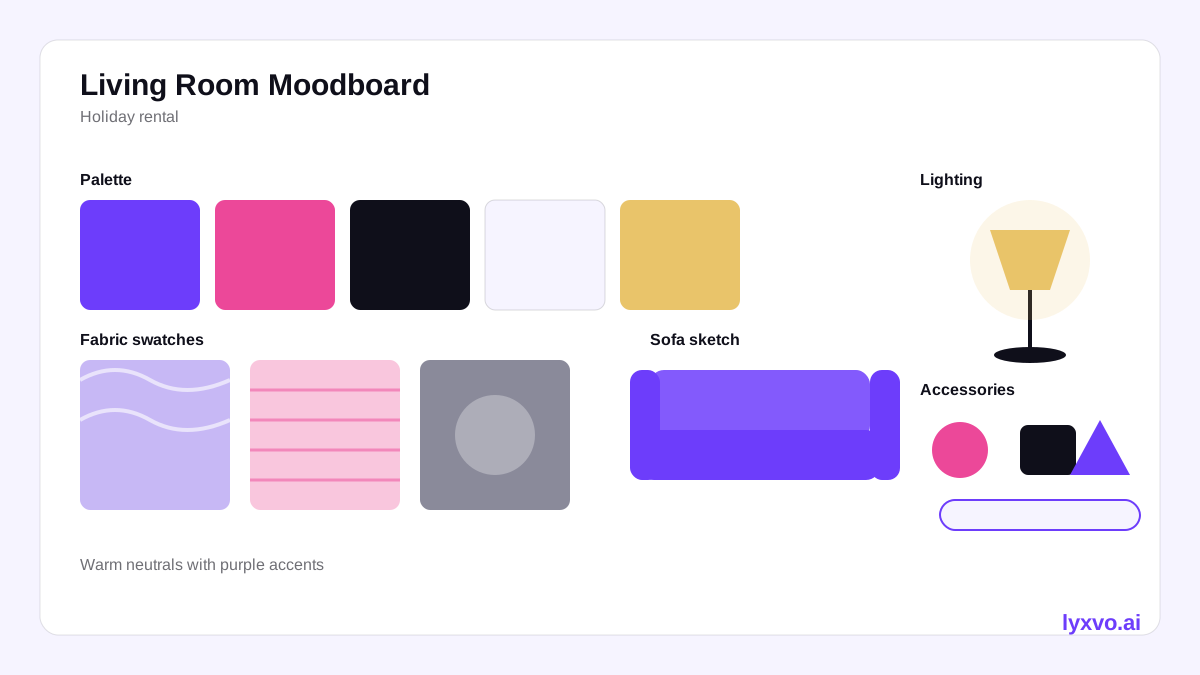
What to include on your moodboard
A useful moodboard is short. Aim for these elements:
- Color palette: three to five colors, including one dominant neutral, one accent and one warm or cool tone.
- Materials and textures: wood tone, fabric type (linen, bouclé, velvet), metal finish, stone or tile.
- Key furniture pieces: the sofa, bed frame, dining table and one statement piece per room.
- Lighting: the style of lamps and the color temperature (warm white usually photographs best in the evening).
- Accessories: rugs, cushions, art, plants, and two or three decorative objects per room.
- Mood keywords: for example "calm coastal", "warm minimal" or "urban loft".
Keep the board to one page. If it needs scrolling, it is too busy to guide purchases.
A step-by-step process
1. Measure and photograph each room
Take a straight-on photo of each room from the corner where guests will usually stand. Note window positions, ceiling height and any fixed features like radiators or built-in shelves. These details decide what will fit.
2. Define the listing's story
Ask who the guest is. A remote-work traveler needs a clear desk and good lamp light. A family needs durable fabrics and space to move. Write one sentence that describes the stay, such as "A bright, quiet apartment for two who want a slow weekend."
3. Build the palette first
Pick the neutral that will appear in every room, then add one accent per room. Repeating the same neutral across the listing makes the photos look cohesive and makes the space feel larger.
4. Choose a small set of pieces
For each room, list the must-have furniture and the three to five accessories that will be photographed. Fewer, better pieces photograph more cleanly than a crowded room.
5. Turn the board into a shopping list
Convert each item into a line with dimensions, color, quantity and a rough budget. This list is what keeps you from overspending.
6. Test the plan on the room
Before buying, check the layout on a floor plan. Confirm that the bed, sofa and rug fit with walkways of about 60 cm (roughly two feet) where guests need to pass.
Checklist before you shoot
- Clutter removed from surfaces, counters and nightstands
- Beds made with two matching pillows per side plus one accent
- Lamps on for a warm evening look; curtains open for daylight shots
- Floors clean, rugs flat and straight
- One plant or fresh flowers per main room
- Bathroom towels folded and matching
- Each room photographed in landscape orientation
How to build this moodboard in Lyxvo AI
Lyxvo AI's interior design tool works from scratch or from a photo of your room. It creates designs such as room moodboards, wall murals, 2D floor plans and decor shopping lists. These are design plans, not photo renders, so you use them to decide what to buy and where to place it.
- Open the AI interior design tool and choose to start from a photo of the room or from scratch.
- Describe the listing's story and the mood keywords you chose.
- Review the generated moodboard and adjust the palette, materials and accessories directly.
- Check the 2D floor plan to confirm furniture placement and walkways.
- Export the decor shopping list and use it to buy what the plan calls for.
You can also make social or marketing images of the finished space with the free design templates and the AI social media post generator. Lyxvo Lite gives you a daily allowance to start, and you can see plan options on the pricing page.
Common mistakes to avoid
- Too many colors: three to five colors per listing keeps photos calm.
- Oversized furniture: a sofa that blocks a doorway ruins both the photo and the guest experience.
- Ignoring light: a beautiful room photographed at noon with harsh shadows looks worse than the same room lit warmly in the evening.
- Buying before planning: a shopping list tied to a moodboard prevents mismatched purchases.
- Forgetting the small details: towels, coasters and a welcome card often photograph well and cost very little.
Keeping the look consistent over time
Save your moodboard as the master reference for the listing. When you replace a lamp or cushion later, check it against the board. Re-shoot photos once a season, or when you change a major piece, so the listing matches what guests will find. For the first set of photos, you might also review the AI interior design guide to refine the look before the shoot.
Final thoughts
An AI decor moodboard for Airbnb host listing photos is simply a plan: a palette, a set of materials, a few key pieces and a shopping list tied to real measurements. Start with a clear story for the guest, build the board around one neutral, and check the layout before buying. The result is a set of photos that feels intentional and a space that delivers what the listing promises.
Try it in Lyxvo AI
Describe it in your own words and the design agent starts on the right flow. Free to start.
Related tool: AI interior design for any room