AI Flyer for Coworking Space Day Pass Promo: A Practical Guide
An AI flyer for a coworking space day pass promo can turn a passing pedestrian into a same-week visitor, if the offer is obvious in three seconds. This guide shows you what to put on the page, how to lay it out, and how to produce print-ready files with Lyxvo AI.
Why a day pass flyer works for coworking spaces
A day pass lowers the commitment for someone who has never worked in your space. Freelancers, remote staff visiting a client city, and students often want a quiet desk for a day but will not sign a monthly contract. A flyer placed where those people already spend time (cafés, universities, libraries, co-living buildings, and local business noticeboards) does one job: make the day pass feel easy to try.
Because the flyer is seen for only a few seconds, every element has to earn its place. Your goal is one clear offer, one clear action, and one reason to act now.
What to include on the flyer
Use this checklist before you design anything:
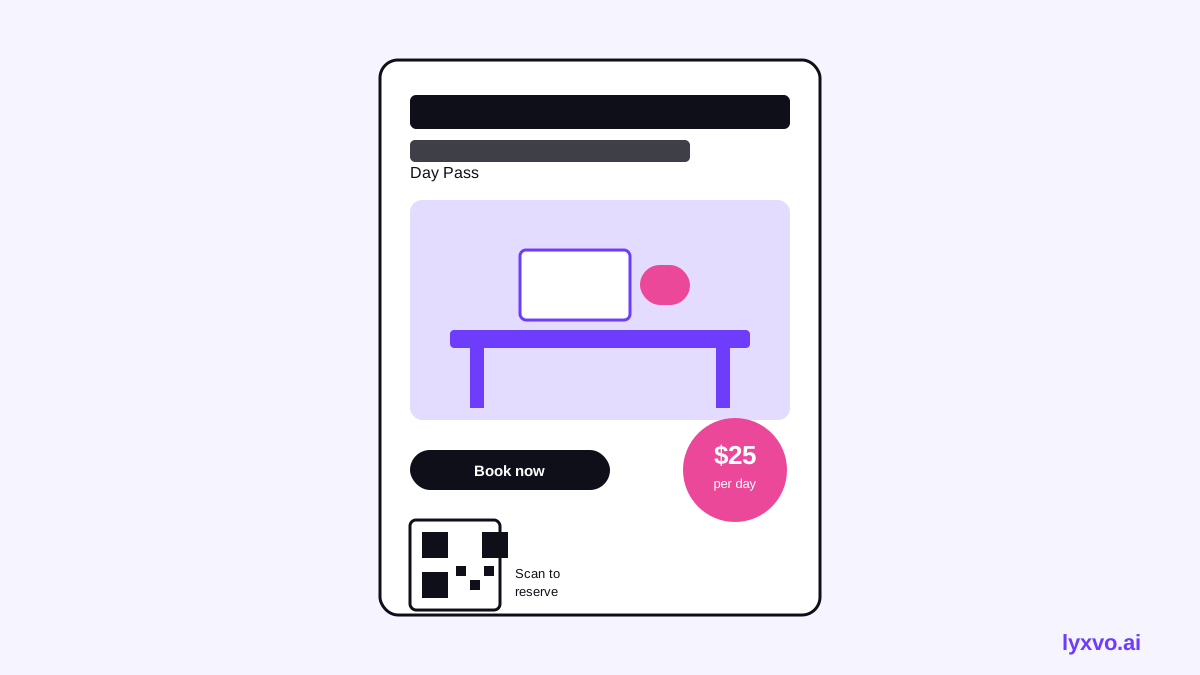
- Headline with the offer. Example: "Day Pass: Fast Wi-Fi, Quiet Desks, Free Coffee."
- The price or the value. Show the day pass price, or the value if it is free (for example "First day free").
- What is included. Desk, Wi-Fi, meeting-room hours, kitchen access, locker, or printing.
- Opening hours. Mention the days and times the pass is valid.
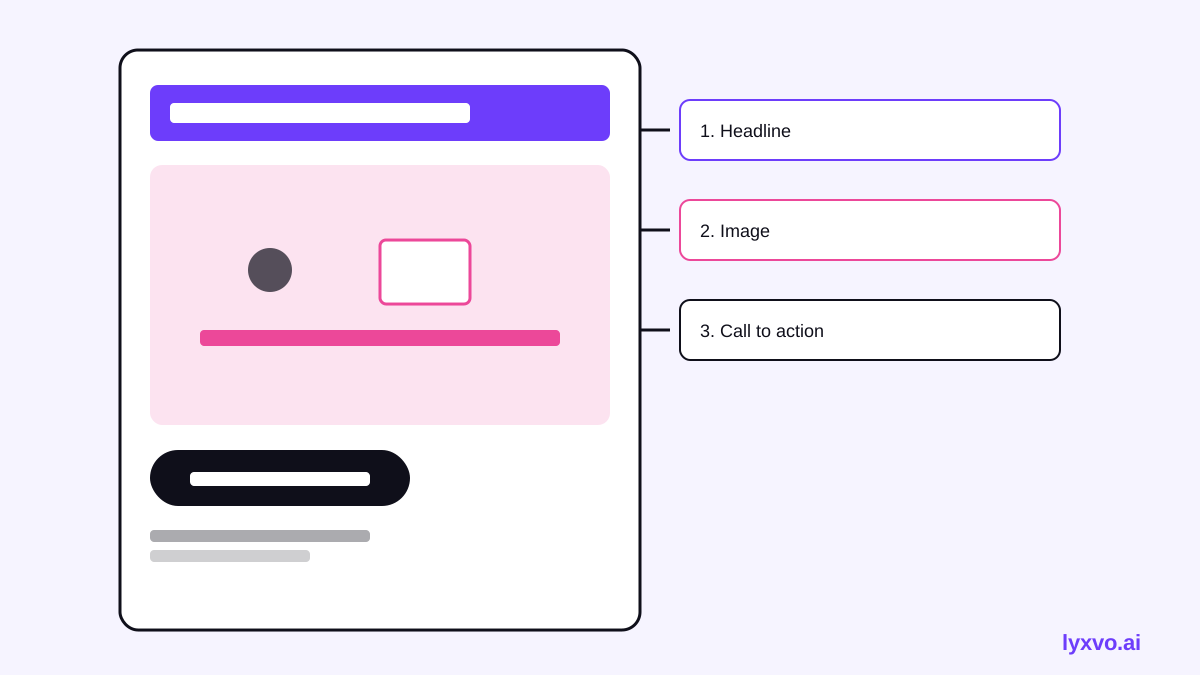
- One call to action. "Scan to book", "Message us on WhatsApp", or "Visit reception".
- A QR code or short link that goes to a booking page, not your homepage.
- Address and map cue. A landmark is often more useful than a street name.
- Promo deadline or limit. "This month only" or "First 50 guests" if it is true.
- Your logo and contact details, kept small.
Copy that makes people book
Keep the copy short and specific:
| Weak line | Stronger line |
|---|---|
| Come work with us! | Your desk, today: day pass from [price] |
| Great community | Meet other freelancers over coffee |
| Flexible spaces | Book a quiet desk in 60 seconds |
| Lots of amenities | Wi-Fi, meeting room, printing included |
Use one number (the price, the hours or the count of desks) rather than several. Write the call to action as a verb and tell people where to tap or scan.
Layout rules for a clear flyer
- Hierarchy first. The headline is the largest element. The price or offer is second. Details are smaller.
- One focal image. A photo of a real desk with natural light works better than a collage. Use a photo of your actual space if you have one.
- Limited colors. Pick your brand color plus one accent for the price or QR box. Keep text contrast high.
- Generous margins. Crowded flyers look like clutter on a noticeboard.
- QR code with space around it. Leave a clear quiet zone so phones can scan it.
Print sizes and resolution
For common flyer formats, set your design canvas to the final print size and export at 300 dpi:
- A5 (148 × 210 mm): counter handouts and café tables.
- A4 (210 × 297 mm): noticeboards and window displays.
- A3 or A2: posters in lobbies and university halls.
If you also post the offer online, create a square or vertical version for social media. Keep the same headline and price so the message is consistent across channels.
How to design it in Lyxvo AI
Lyxvo AI includes an agentic design tool that plans and builds a layout from your brief, then lets you edit it in a Canva-style editor. A practical workflow looks like this:
- Open the flyer studio or read the AI flyer maker page for an overview.
- Write your brief: the business name, the day pass price, what is included, opening hours, the booking link, and the tone (for example "calm, professional, friendly").
- Let the design agent generate a first layout. Check that the headline offer is the biggest element.
- Use the editor to replace the photo with one of your own, change colors to your brand palette, and edit any text directly.
- Add your QR code and confirm it scans before you export.
- Export a PNG at the real print size for your printer, or export a web version for email and social.
If you need several formats from one design, Magic Resize can adapt the layout to other sizes, and Translate can produce a second-language version for a multilingual neighborhood. For a quick social version of the same promo, the social media post generator covers exact platform sizes.
Distribution tips
- Place flyers where your target users already are: co-working neighbors, cafés near universities, and the lobby of nearby offices.
- Ask your reception team to hand flyers to first-time visitors who ask about the space.
- Put the same QR code on your window, your Google Business profile, and your email signature so tracking is simple.
- Use a different QR code or short link for each location so you can see which placement drives bookings.
- Refresh the design monthly if the offer changes. Stale promos reduce trust.
Measuring whether the flyer works
Track three numbers: QR scans, booked day passes that mention the promo, and redemptions at reception. Compare them against the same period before the flyer went up. If scans are high but bookings are low, the booking page is the problem, not the flyer. If scans are low, the design or placement needs work.
Common mistakes to avoid
- Listing every amenity instead of the two or three that matter most to visitors.
- Using a tiny QR code on a busy background.
- Putting a generic homepage link where a direct booking page should be.
- Forgetting the opening hours or the validity of the pass.
- Mixing too many fonts or colors, which makes the offer hard to scan.
Always confirm your prices, opening hours and offer terms before printing. A flyer with outdated information costs more than the print run.
Final checklist
- One clear headline with the offer
- Price or value visible at a glance
- Included amenities (two to four)
- Opening hours and pass validity
- One call to action and a working QR code
- Print size and 300 dpi export confirmed
- Address or landmark included
If you want to compare plans before you produce a batch of flyers for several locations, see the pricing page. For more design guides, visit the blog.
Try it in Lyxvo AI
Describe it in your own words and the design agent starts on the right flow. Free to start.
Related tool: AI flyer and poster maker, print-ready