AI Flyer for Mosque Ramadan Iftar Donation Drive: A Practical Guide
An AI flyer for a mosque Ramadan iftar donation drive can be designed in under an hour if you know what information to include and how to arrange it. This guide walks you through the content, layout, and print details, then shows how to build the flyer in Lyxvo AI.
Why a Clear Iftar Donation Flyer Matters
During Ramadan, congregations and volunteers often share information quickly through printed flyers on notice boards, in prayer halls, at neighborhood shops, and in community WhatsApp groups. A good flyer answers three questions in seconds: what is being collected or funded, when and where, and how to give. If a reader has to hunt for any of those details, they will likely move on.
A donation drive flyer also carries trust. Clean spacing, accurate dates, and a clearly listed contact or bank account make people more comfortable giving. Avoid decorative clutter that hides the message.
Step 1: Decide the Goal and the Ask
Before designing anything, write one sentence that describes the drive. Examples:
- "Help us provide 150 iftar meals for families at the mosque each evening of Ramadan."
- "Support our community food pantry during the last ten days of Ramadan."
- "Raise funds for weekly iftar supplies this month."
Then decide the single action you want readers to take: donate cash, bring dry goods, volunteer on a specific evening, or sign up on a list. One flyer should ask for one main action. You can mention a secondary option in smaller text.
Step 2: Gather the Essential Information
Collect these details before you open a design tool:
- Mosque or organization name and logo
- Campaign name (for example, "Iftar Sharing" or "Feed the Fasting")
- Dates of the drive and daily or weekly timing
- Meal target or funding goal, if you have one
- Donation method: bank transfer details, QR code, collection box location, or drop-off times
- Contact person and phone number, or a link to a registration form
- Any language versions needed for your community
Double-check every number, account detail, and time. Errors on donation flyers cause real problems, so have a second volunteer verify them.
Step 3: Use a Simple, Readable Layout
A flyer is read from a distance and in a hurry. Follow these layout principles:
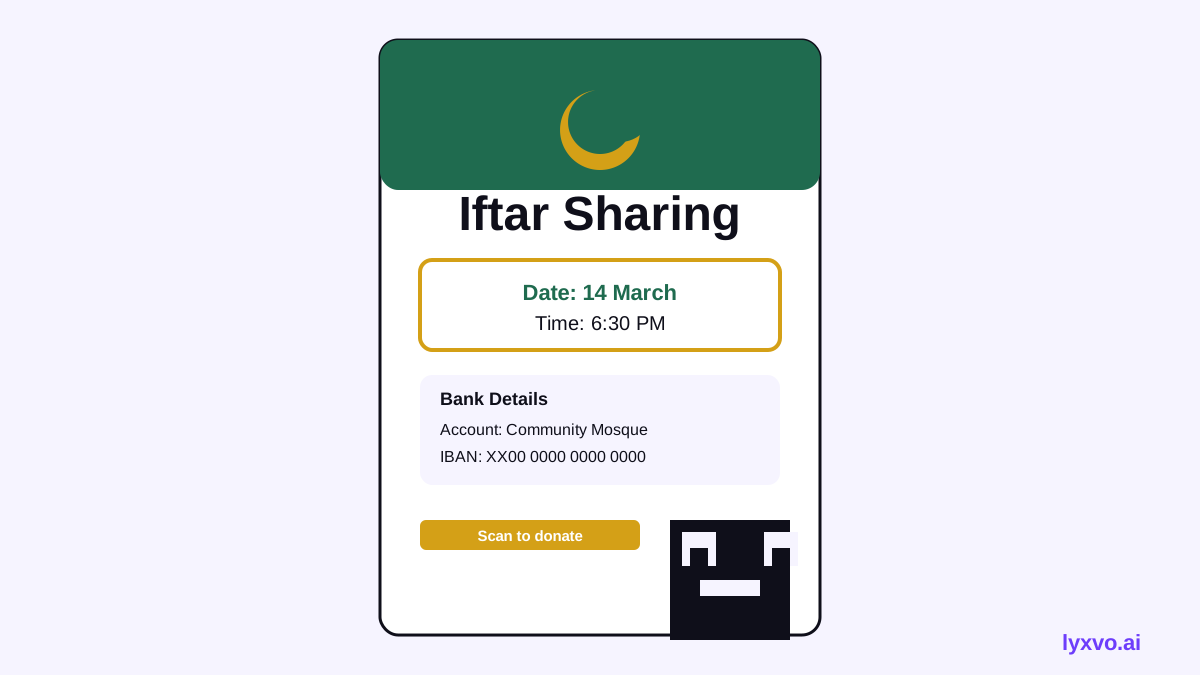
- One dominant headline at the top, such as "Iftar Donation Drive" or the campaign name.
- A short supporting line that explains the purpose in one sentence.
- A date and time block in a contrasting box so it stands out.
- The donation details in the middle third, with bank or QR information clearly separated.
- Contact information and a call to action at the bottom.
- Generous white space so the page feels calm and respectful.
Use two or three colors at most. Many communities prefer deep greens, golds, and cream, which suit Ramadan themes, but choose colors that keep text highly readable. Keep decorative calligraphy or patterns to borders or corners, not behind body text.
Sample Flyer Copy
Iftar Sharing: Ramadan 2026 Help us serve iftar to families every evening this Ramadan. Date: [start] to [end] | Time: before Maghrib Donate: [bank name], account [number], name [account holder] Or scan the QR code | Drop-off: [mosque office], daily 9am–6pm Contact: [name], [phone]
Replace the bracketed items with your real details. Always check the Ramadan dates against your local moon sighting announcements.
Step 4: Choose the Right Print Size
Common formats for community flyers include:
| Use | Suggested size | Resolution |
|---|---|---|
| Notice board or door flyer | A4 or A5 | 300 dpi for print |
| Handout or pocket flyer | A6 or A5 | 300 dpi for print |
| Poster for entrance or hall | A3 | 300 dpi for print |
| Digital share on social media | Square or vertical post size | Platform-specific |
For printing, design at 300 dpi so text and images stay sharp at the final size. Ask your printer whether they need bleed (extra margin at the edges) and keep important text away from the trim line.
Step 5: Add Accessibility and Language Options
Many mosques serve multilingual communities. Consider:
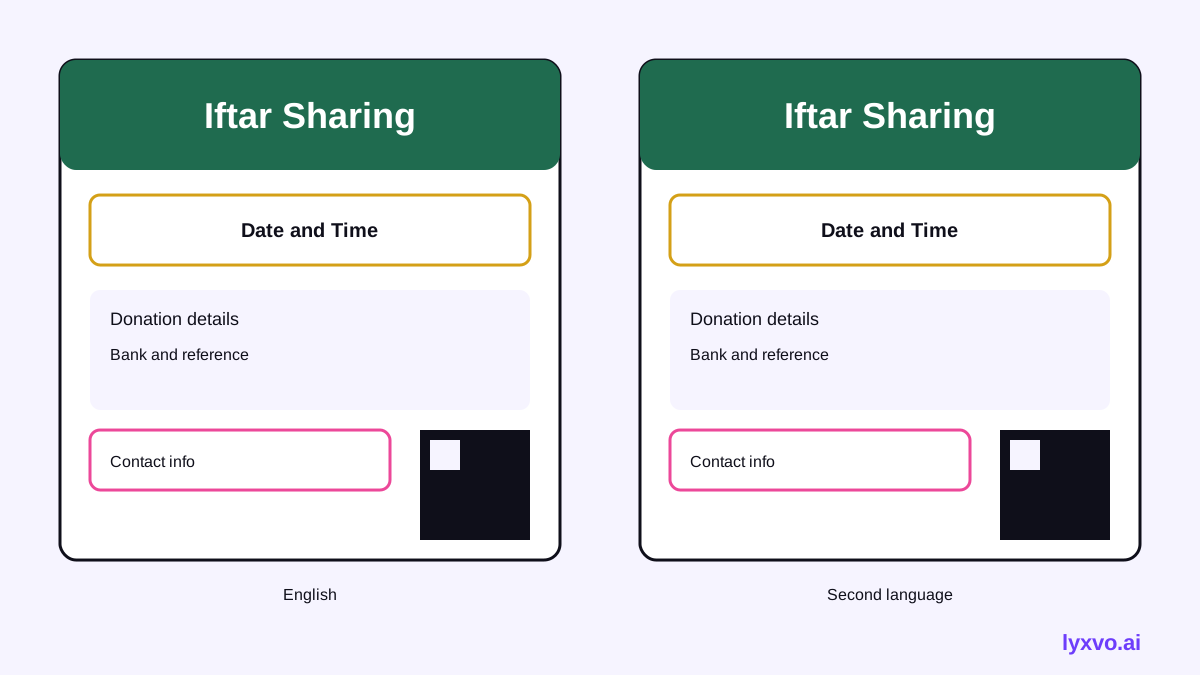
- Providing the core message in two languages, with the same layout
- Using large text (at least 14 pt on A5 and above) for older readers
- Including a QR code linked to a bank transfer page or registration form, while keeping the printed bank details visible for those who prefer them
- Avoiding text placed over busy photos
Step 6: Check Before You Print
Run through this checklist:
- [ ] Dates, times, and Ramadan references are correct
- [ ] Bank name, account number, and account holder name match your records
- [ ] QR code scans to the correct destination
- [ ] Contact phone number is answered during the drive
- [ ] Logo and name spelling are correct
- [ ] Text is readable at arm's length on a printed copy
- [ ] Printer has received the print-ready file at the right size
- [ ] A volunteer has proofread the whole flyer
How to Design This Flyer in Lyxvo AI
Lyxvo AI includes a design agent that can create flyers, posters, and print materials at 300 dpi, plus a Canva-style editor for changing text, photos, and colors yourself. Here is a practical workflow:
- Open the AI flyer maker or go directly to the flyer studio.
- Describe your drive in plain language: the mosque name, campaign name, dates, donation method, and the tone you want (warm, formal, or family-friendly).
- Review the generated layouts and choose one with a clear headline and date block.
- Use the editor to replace the placeholder text with your verified bank details, contact number, and drop-off times.
- Adjust colors so the contrast is strong for printing. Keep text areas on plain backgrounds.
- If you need a second language, duplicate the design and translate the text using the editor's translate feature, then check every line with a native speaker.
- Export as a print PDF or PNG at 300 dpi for printing, and export a smaller version for sharing.
For related materials, you may also want an AI poster maker for entrance displays or an AI social media post generator for online announcements. Plans and limits are listed on the pricing page.
Common Mistakes to Avoid
- Too much text. If it needs more than a minute to read, cut it.
- Unverified numbers. Confirm every account and date with the finance and events teams.
- Low contrast. Pale gold on cream is hard to read at a distance.
- No follow-up. Add a line about how donors will be thanked or updated.
- Outdated details. Reuse last year's flyer only after replacing every date and figure.
Final Thoughts
A strong AI flyer for a mosque Ramadan iftar donation drive is simple, accurate, and easy to act on. Decide the single ask, gather verified details, lay out the information clearly, check everything twice, and print at the correct size. With a structured workflow, one volunteer can produce a professional flyer quickly and update it as the drive progresses.
Try it in Lyxvo AI
Describe it in your own words and the design agent starts on the right flow. Free to start.
Related tool: AI flyer and poster maker, print-ready