AI Home Office Makeover for Remote Workers: A Practical Guide

An ai home office makeover for remote workers starts with a clear plan, not a pile of decor purchases. With an AI design tool you can test layouts, moodboards and shopping lists before spending a single dollar.
Most remote workers do not need a new house to get a better workspace. They need a space that supports focus, posture, video calls and a clear break between work and home life. The difficulty is that a good office is a set of small decisions about light, furniture, storage and color, and those decisions are easy to get wrong when you buy things one at a time.
An AI-assisted approach helps you plan the whole room first. You can start from scratch or from a photo of your current room, explore a few directions, and end with a decor list that fits the space you actually have.
Start with how you really work
Before choosing any style, write down your daily routine. A makeover for someone who takes long video calls is different from one for a writer who needs quiet and paper space.
- How many hours do you sit at the desk each day?
- Do you join video meetings? If so, what is behind you on camera?
- Do you need space for printing, a second monitor, a laptop dock or a whiteboard?
- Do you share the room with anyone, or work near noise from the street or other rooms?
- What should the room feel like at the end of the workday?
These answers become the brief you give any design tool, and they keep the makeover practical.
Plan the layout before the decor
Layout drives everything else. A few principles help most home offices:
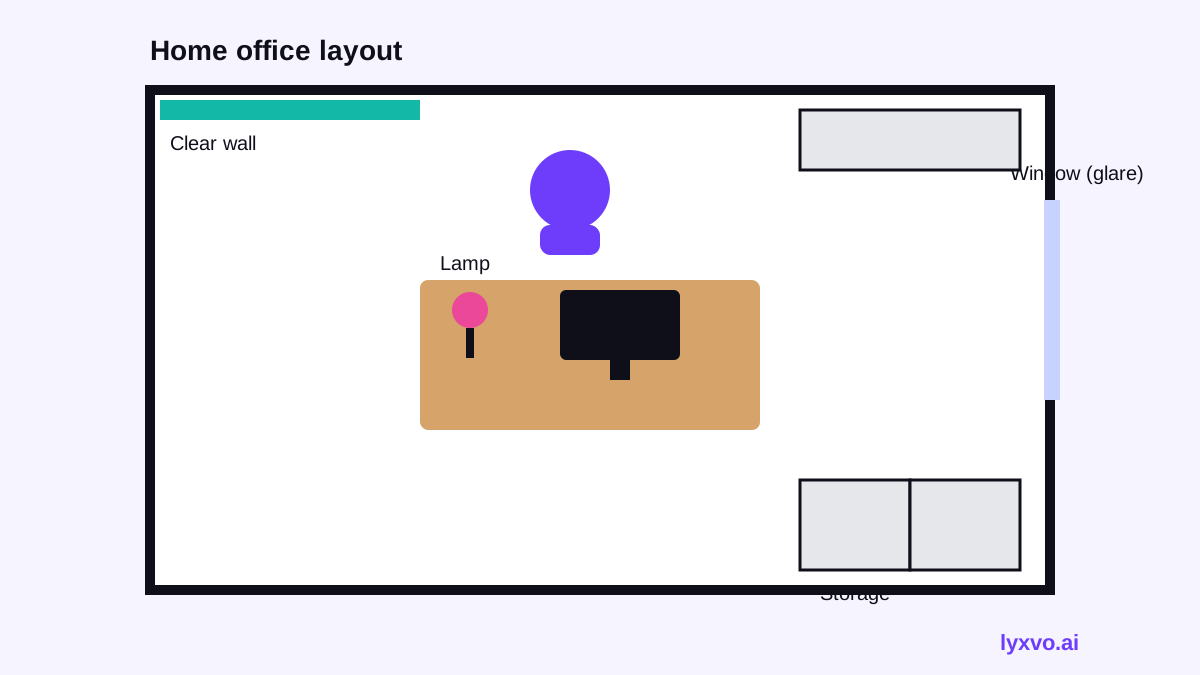
- Place the desk so you are not facing a window directly (glare on screens) or with a window directly behind you (silhouette on calls).
- Keep a clear, uncluttered background for video calls, such as a plain wall, a bookshelf with a few objects or a simple mural.
- Leave at least 90 cm of walking space behind the chair so you can stand up easily.
- Put frequently used items within arm's reach and store the rest out of sight.
| Zone | What to include | Typical space |
|---|---|---|
| Work desk | Desk, ergonomic chair, monitor arm | Central, away from direct glare |
| Call background | Wall art, shelf, plant | Behind the chair |
| Storage | Closed cabinet, file box, cable tray | Side wall or under desk |
| Light | Desk lamp, daylight-balanced bulb | Beside the monitor |
| Break corner | Small chair, plant, rug | Away from the desk |
Build a moodboard that matches your mood
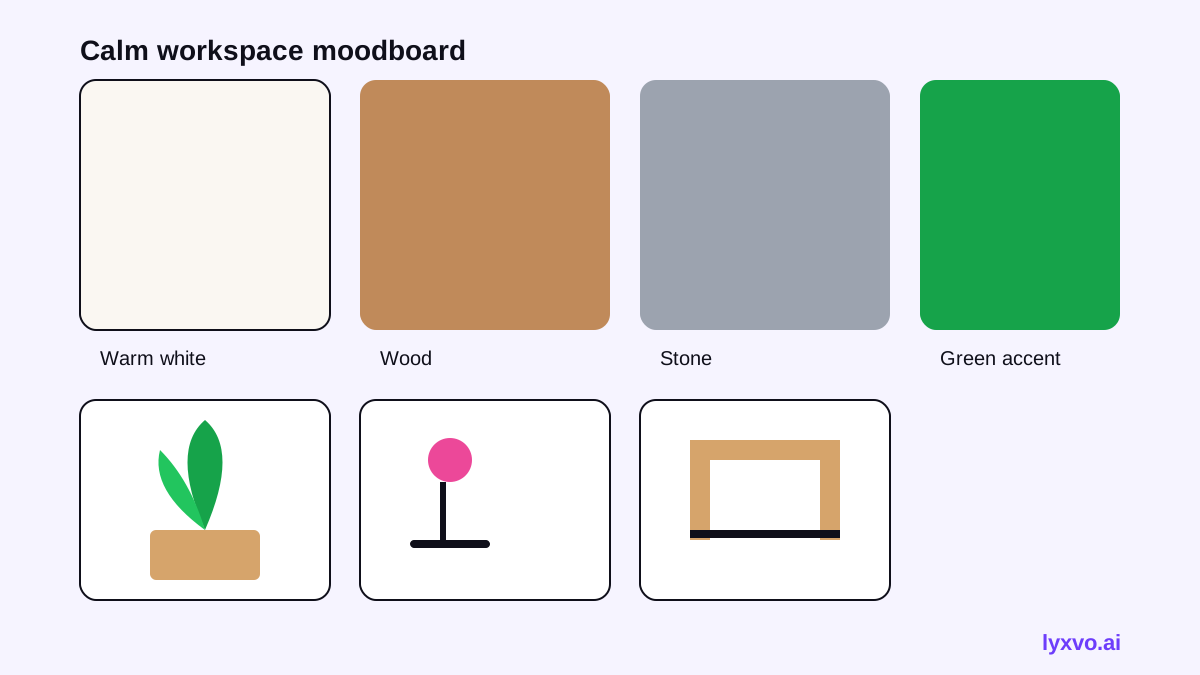
Once the layout is clear, choose a direction. Good remote-work rooms tend to use calm colors, natural materials and one or two accents for energy. Create two or three moodboards and compare them side by side. Ask which one makes you want to start work and which one feels calm at 6 p.m.
Pick a palette of three to four colors
Use one dominant neutral (for example warm white or soft grey), one supporting tone (wood or stone), and one or two accents (green for plants, a single bold color for a chair or print). Too many accents make a small room feel busy.
Choose lighting first
Lighting affects focus and how you look on camera. Plan a soft ambient light, a task lamp for the desk and, if possible, a light source in front of you rather than behind. Check the color temperature of bulbs before buying.
Make a decor shopping list you can trust
The most useful output of a makeover plan is a shopping list with sizes and quantities. Before you buy, check:
- Measurements of the desk area, wall and any alcove.
- Whether the chair fits under the desk when pushed in.
- Cable routing: where power, router and monitor cables will run.
- Storage height so drawers and shelves do not block the window.
- Budget per category, so the total stays realistic.
Tip: buy the desk and chair first, then choose wall decor and accessories so the room is designed around the furniture you actually have.
How to do this in Lyxvo AI
Lyxvo AI includes an interior and decor design agent that works in designs, not photo renders. You can create a room moodboard, a wall mural concept and a 2D floor plan, then get a decor shopping list. You can start from scratch by describing your work routine and style, or upload a photo of your current room so the plan reflects your real space.
A practical workflow:
- Describe your daily work routine, room size and preferred style.
- Generate two or three moodboards and pick the palette you like.
- Review the 2D floor plan and adjust the desk and storage placement.
- Export the decor list and use it as your buying guide.
- Edit colors, text and images directly in the Canva-style editor if you want to share a presentation of the plan with your household.
You can explore the tool on the AI interior design page. If you want to create a visual board for sharing, the free design templates collection and the Studio slide format can help you present the plan clearly.
Common mistakes to avoid
- Buying decor before measuring the room.
- Choosing a dramatic wall color that looks different under your actual bulbs.
- Placing the desk with the window directly behind the screen.
- Forgetting storage and ending up with clutter on the desk.
- Skipping a rest corner, which makes the office feel like the only place you ever are.
A simple timeline for the makeover
- Week 1: Write your work routine and measure the room.
- Week 2: Create layouts and moodboards; choose the direction.
- Week 3: Buy furniture and lighting; test the desk setup for a few days.
- Week 4: Add decor, plants and personal objects; review what works.
A planned, measured makeover usually feels more comfortable than a rushed one, and it leaves you with a space that supports real remote work every day.
Try it in Lyxvo AI
Describe it in your own words and the design agent starts on the right flow. Free to start.
Related tool: Free design templates you can edit in minutes