AI Logo for a Local Bakery Social Profile: A Practical Guide
An AI logo for a local bakery social profile can take you from a blank page to a finished, platform-ready mark in one sitting. This guide shows you what to decide first, how to brief an AI design tool well, and how to make sure the logo looks sharp in a small circle on Instagram, Facebook and TikTok.
Why a bakery's social profile needs a dedicated logo
Your profile picture is often the first thing a neighbour sees before they decide to walk in. On social media it is cropped into a circle, shrunk to the size of a thumbnail and placed next to posts full of bright photos. A logo that reads well at full size can turn into a blur at 40 pixels.
A good bakery logo does three jobs at once. It tells people what you sell, it signals your personality (cosy, modern, traditional, playful), and it stays recognisable in every size you use: profile picture, story highlight, shop sign, bag sticker and printed menu.
Decide the basics before you design
An AI tool produces better results when you give it clear decisions. Spend ten minutes on these:
- Bakery name: exactly as it should appear, including spelling and capitalisation.
- Core product: bread, pastries, cakes, or a mix. A simple icon such as a wheat stalk, a croissant silhouette or a whisk works well.
- Personality: three adjectives, for example "warm, rustic, family-run".
- Colour palette: two or three colours that suit food. Warm browns, cream, terracotta and sage green are common choices for bakeries, but pick what matches your shop.
- Style: hand-drawn, minimal line art, vintage badge, or bold flat shapes.
- Where it will live: a circle profile photo, a square feed post, a shopfront and print.
Keep the first version simple. A logo that works in one colour and at small sizes is more useful than an elaborate illustration that needs lots of space.
Write a brief the AI can actually use
Vague prompts produce generic results. Compare these two briefs:
- Weak: "logo for a bakery"
- Strong: "Logo for 'Maple & Crumb', a family bakery in a small town. Rustic but clean. Icon of a loaf of bread with a single wheat stalk. Colours: cream background, deep chocolate brown and muted terracotta. Must work as a circular profile picture and in one colour."
The second version gives the design agent a name, a mood, an icon, a palette and a usage requirement. Those five elements are what turn a generic loaf into a logo with purpose.
Check the logo at real social sizes
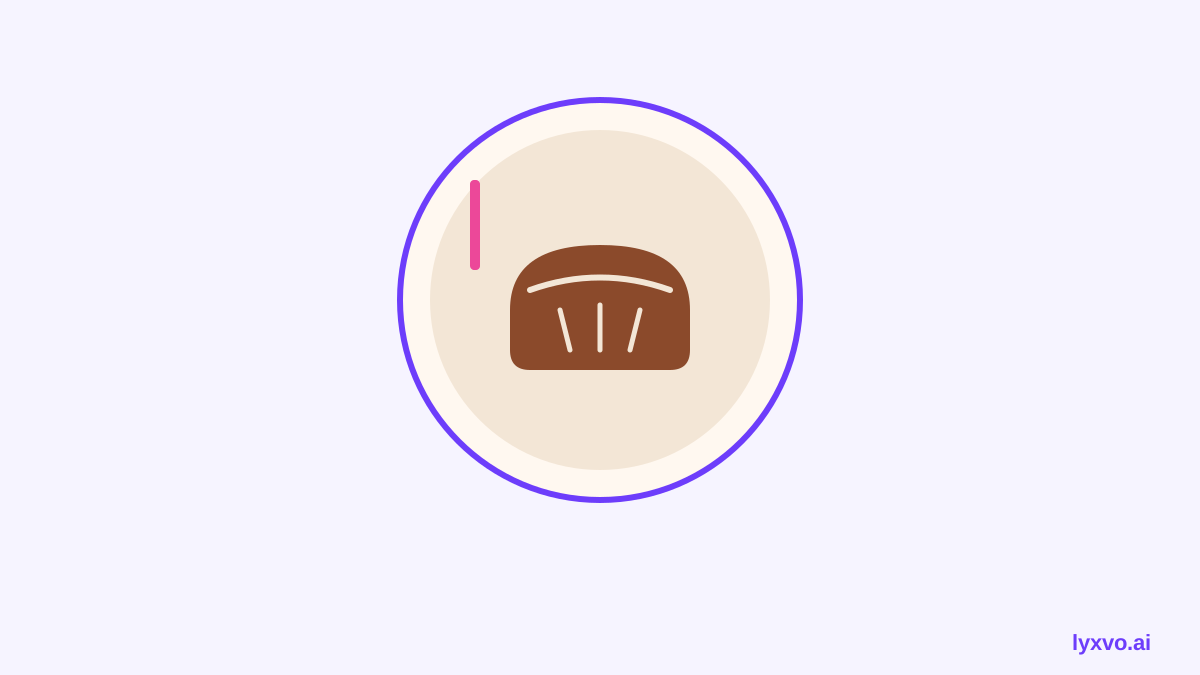
Before you commit, test the mark where people will actually see it. Platforms crop profile images differently, so keep the important parts of the design in the centre. As a rule of thumb:
| Where it appears | What to check |
|---|---|
| Circular profile picture | Icon and name stay inside the central circle |
| Square feed post | Logo still reads if you use it as a watermark |
| Story highlight cover | Icon is clear at small circle size |
| Shop sign or window | Text is legible from a distance |
| Black-and-white print | Shapes still separate without colour |
If your bakery name is long, consider a stacked layout or a monogram version for profile pictures, with the full name used in posts and bios.
Build a small brand kit around the logo
Once the logo is right, a few supporting assets make your social presence consistent:
- Profile picture in the correct size for each platform
- A square post template using your colours and fonts
- A story template for announcements like "fresh sourdough today"
- A simple menu or flyer layout that matches the logo
Keeping these in one set means every post looks like it came from the same bakery, which helps regulars recognise you instantly.
How to create this in Lyxvo AI
Lyxvo AI's design agent can plan and build the logo and the brand assets from the brief you write. Here is a practical path:
- Open the AI logo generator or go straight to the logo studio.
- Paste your brief, including the bakery name, icon idea, palette and style.
- Review the options the agent produces and pick the direction that fits your shop.
- Refine it in the Canva-style editor: change text, adjust colours, and swap elements directly.
- Generate the full brand kit, which includes every Android, iOS and web icon size if you also need an app icon later.
- Create your social posts with the social media post generator and the Instagram story studio, using the same colours and fonts.
- Export as PNG at real size for your profile, or as SVG and tokens if you want to hand the files to a printer or designer.
You can also use Magic Resize to adapt a finished post to other sizes, and the editor lets you translate text if you serve customers in more than one language.
Lyxvo Lite gives you a daily allowance to start for free. Plans with higher limits are listed on the pricing page.
Common mistakes to avoid
- Too much detail. Fine lines and tiny text disappear in small circles.
- Too many colours. Three is usually enough for a bakery.
- Using the logo in a busy photo. Place it on a clean background or give it a solid panel.
- Changing the logo every season. Keep the mark stable and vary posts instead.
- Ignoring the file formats. Keep a transparent PNG and a vector version so you can use the logo anywhere.
Final checklist before you publish
- [ ] Bakery name is spelled correctly everywhere
- [ ] Logo reads clearly as a small circle
- [ ] Works in one colour
- [ ] Palette is two or three colours and matches the shop
- [ ] Profile, post and story versions are exported at the correct sizes
- [ ] Files are saved in PNG for social and SVG for print
With a clear brief, a few checks at real sizes and a small matching set of posts, an AI-made logo can give your bakery a profile that looks as warm and considered as the bread you bake.
Try it in Lyxvo AI
Describe it in your own words and the design agent starts on the right flow. Free to start.
Related tool: AI logo generator with a complete brand kit