AI Logo for a Rural Coffee Cooperative: A Practical Guide
An AI logo for a rural coffee cooperative can give a farmer group a professional identity without a large agency budget. This guide walks you through planning the brand story, generating and refining concepts, and exporting the files you need for bags, signage and social media.
Why a rural coffee cooperative needs a clear logo
A cooperative is a group of growers who share processing, marketing and sales. Buyers, roasters and export partners often judge a cooperative by its first impression: a bag label, a website header, a WhatsApp profile photo. A simple, honest logo signals that the group is organized and trustworthy.
The logo does three jobs at once. It identifies the cooperative, tells the story of the place and the people, and works at very small sizes on a sack stamp or a phone screen.
Step 1: Write a one-page brand brief
Before generating anything, write down the facts that should shape the design. Keep it short:
- Name: the exact cooperative name and any local-language name.
- Place: village, district or highland, and what the land looks like (mountains, rivers, terraces).
- Crop details: variety (for example Arabica or Robusta), altitude, harvest season.
- Values: fair pay, shared processing, women-led groups, organic practice, or whatever is true.
- Audience: local members, specialty roasters abroad, or domestic buyers.
- Must avoid: colors, symbols or styles that do not fit your culture or your buyers.
A good brief makes AI output better, because you can prompt with real details instead of vague words like "nice coffee logo".
Step 2: Choose a logo direction
Most cooperative logos fall into a few directions. Pick one or two before you generate:
| Direction | Works well for | Watch out for |
|---|---|---|
| Emblem or badge | Formal cooperatives, certification-style marks | Too much detail for small sizes |
| Simple leaf or bean mark | Young groups, modern packaging | Looks generic if not tied to place |
| Local motif (mountain, river, traditional pattern) | Strong sense of origin | Risk of cultural misuse if not respected |
| Wordmark with a small icon | Websites and export buyers | Icon must still work alone |
In general, one strong symbol plus a readable name beats a crowded scene.
Step 3: Generate concepts with Lyxvo AI
Lyxvo AI's design agent can create logos and full brand kits. A practical way to work:
- Open the logo studio or read the AI logo generator guide.
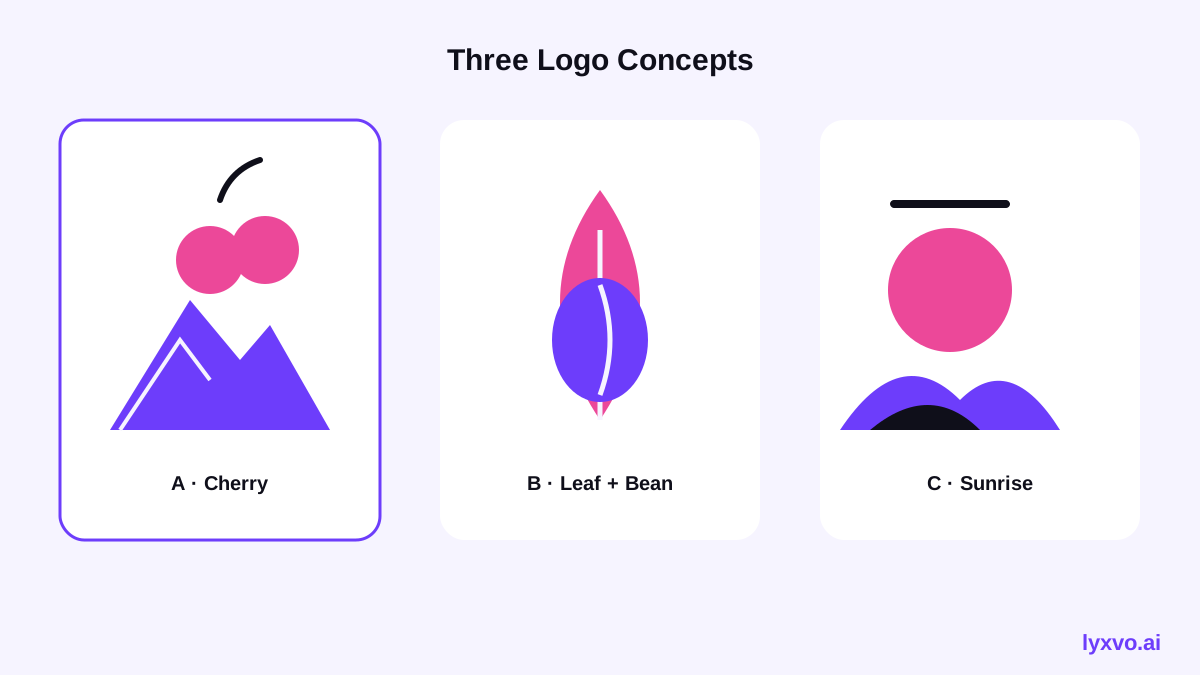
- Describe the cooperative in plain language using your brief, for example: "logo for a highland coffee cooperative, simple coffee cherry and mountain line mark, earthy green and cream, clean sans-serif name, suitable for coffee bags".
- Ask for three to five directions, not one. Compare them side by side.
- Pick the strongest concept and refine it with the Canva-style editor: change text, adjust colors and spacing directly.
Keep your first prompts short and concrete. Add or remove one element at a time so you can see what is driving the result.
Step 4: Test the logo where it will be used
A logo that looks good on a large screen can fail on a sack or a 32-pixel avatar. Test it:
- Shrink it: view it at the size of a phone profile picture. Can you still read the mark?
- Print test: check it in one color, black on white, and on the bag color you plan to use.
- Read it aloud: can a buyer say the name without seeing it?
- Check local meaning: ask members whether the symbols feel respectful and accurate.
- Check existing marks: search for similar logos before you commit, especially if you plan to export internationally.
If the icon fails at small sizes, simplify it. Remove thin lines and fine textures first.
Step 5: Build the brand kit and export sizes
Once the logo is final, you need it in several formats:
- Print: a high-resolution PNG or vector file for bags, labels and posters. For print, a 300 dpi setting is the usual standard.
- Web and social: PNG versions for the website header, favicon and profile pictures on social platforms.
- Vector: SVG for signage and anything that will be scaled a lot.
- Color values: note the exact hex codes so the printer and the designer match the colors.
You can also make the social posts and bag labels in the same project. Useful starting points are the Instagram post maker for harvest announcements and the flyer maker for cupping events or member meetings.
Note: Platform image sizes and rules change over time. Check the current requirements of each platform before final export, and confirm printer specifications with your print shop.
Step 6: Use the logo consistently
A logo only builds trust when it appears the same way everywhere. Create a short set of rules:
- Minimum size, and where the logo can and cannot be placed.
- Which version to use on dark backgrounds, light backgrounds and photos.
- Approved color combinations and fonts.
- A simple rule for partners who want to co-brand.
Save these rules in your cooperative's shared folder so every member and printer works from the same files.
How to get the most out of AI for this project
AI speeds up exploration, but the cooperative should make the decisions. Ask members to vote on two or three finalists, and let the group explain what the mark means to them. A logo built on local meaning will outlast a trend.
If your cooperative also needs a website, a short product page or a farmer introduction, you can continue in the same workflow with the AI website design tool and the free design templates.
Checklist before you publish
- [ ] Brief written with real facts about place, crop and values
- [ ] Three or more concepts compared
- [ ] Logo tested at small size and in one color
- [ ] Local members have reviewed the symbols
- [ ] SVG, PNG and print files exported
- [ ] Color codes and usage rules saved
With a clear brief and careful testing, an AI-assisted logo can give a rural coffee cooperative a strong, honest identity that buyers recognize at a glance.
Try it in Lyxvo AI
Describe it in your own words and the design agent starts on the right flow. Free to start.
Related tool: AI logo generator with a complete brand kit