AI Logo with Hand Drawn Lettering: How to Make One That Looks Human
An AI logo with hand drawn lettering combines the warmth of brush or pen letterforms with the speed of a generator. Done well, it feels personal and crafted; done carelessly, it looks generic or uneven at small sizes.
Hand drawn lettering is one of the strongest signals of personality in branding. Cafés, bakeries, illustrators, boutiques and independent creators often use it because it looks made by a person, not a font menu. AI can now help you reach that look quickly, but the results depend heavily on how you brief it and how you check the output.
This guide walks through what makes hand drawn lettering work, how to write a brief that gets consistent results, what to check before you use a logo anywhere, and how to build the full set of files in Lyxvo AI.
What makes hand drawn lettering feel authentic
Real lettering has small irregularities: varied stroke width, slightly uneven baselines, letters that lean at different angles, and terminals that taper or end in a visible brush or pen mark. AI-generated lettering often either looks too perfect or too chaotic. Aim for the middle.
A few traits to specify in your brief:
- Stroke character: marker, brush pen, ink pen, chalk, or sign-painter style.
- Consistency: letters should share one hand, even if they vary slightly.
- Spacing: hand lettering usually has looser, more rhythmic spacing than a typeset wordmark.
- Baseline: a gentle wave or slight tilt reads as handmade; a wildly bouncing baseline reads as accidental.
Choose the right lettering style for your brand
Different styles communicate different things. Use this table as a starting point:
| Lettering style | Feels like | Good for |
|---|---|---|
| Brush script | Elegant, personal, warm | Boutiques, weddings, wellness |
| Chunky marker | Friendly, bold, casual | Food, kids, local shops |
| Ink pen print | Editorial, thoughtful | Writers, studios, consultants |
| Sign-painter | Heritage, craft, confident | Breweries, barbers, coffee |
| Chalkboard | Relaxed, approachable | Cafés, events, small retail |
Pick one style and stick with it. Mixing brush script with sign-painter caps in the same mark often looks busy.
Write a prompt that gets usable lettering
A good brief for an AI logo with hand drawn lettering usually includes five parts:
- Business name written exactly as you want it to appear.
- Lettering style from the table above.
- Supporting element, such as a simple icon, a line underline or a badge shape, or nothing at all.
- Color palette, with two or three colors maximum.
- Background intent, for example, transparent background for placing on photos.
Example brief: *"Hand drawn brush script wordmark that reads 'Maple & Oak', one small leaf icon above the M, warm terracotta and deep green on a transparent background, friendly and slightly loose."*
Tip: Generate several variations, then choose the one whose letterforms you would still like after you ignore the icon. Lettering carries most of the identity in a wordmark.
Check the logo before you commit
Before you use an AI-generated lettering logo, run through this checklist:
- [ ] Every letter is legible, including at favicon size.
- [ ] Letter shapes are consistent: no sudden change of weight or style in one word.
- [ ] Spelling and capitalization match your business name exactly.
- [ ] The mark works in one color (black or white) as well as in full color.
- [ ] It holds up at small sizes, such as a social avatar or a receipt header.
- [ ] You have checked that the design does not closely resemble an existing trademark or well-known brand.
That last point matters. AI can produce lettering that unintentionally echoes a famous logo or a recognizable script. Search for your final choice in your country's trademark database before you invest in printing or signage. If you are unsure, an IP professional can help.
Build the full logo kit
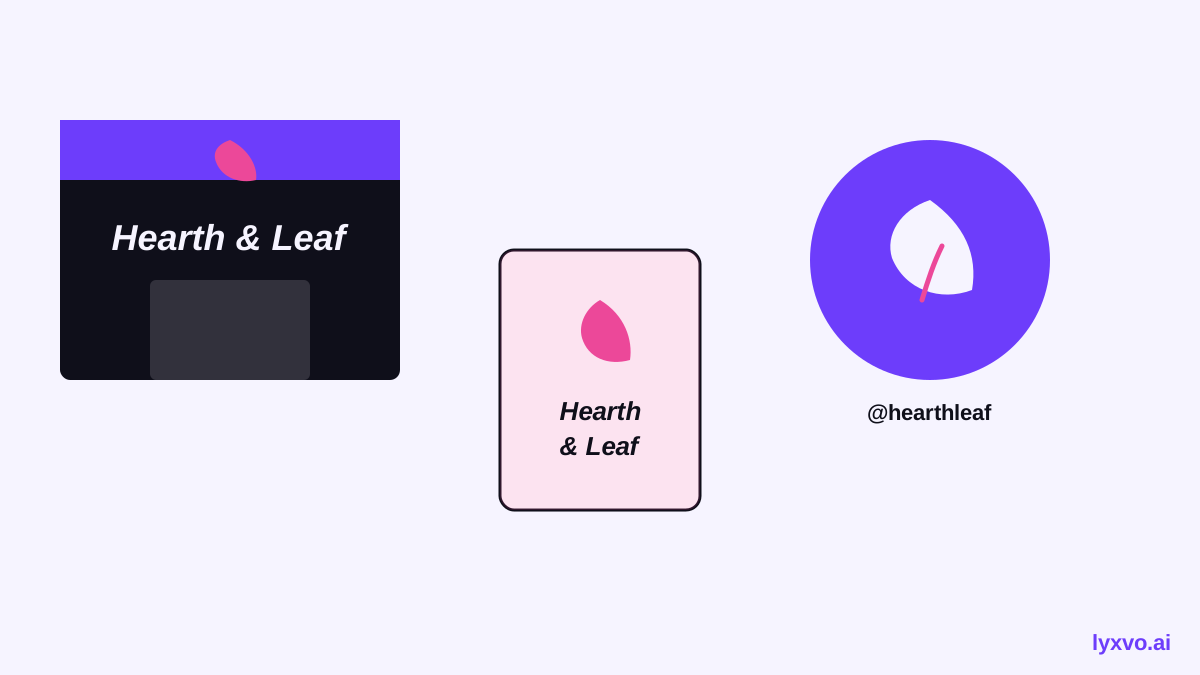
A logo is only useful when it appears correctly everywhere. Plan for the formats you will actually need:
- A primary full-color version on light backgrounds
- A reversed version for dark backgrounds
- A monochrome version for stamps, embroidery and fax-style use
- A square icon or monogram for avatars and app icons
- Vector files for print and signage, plus PNG files at fixed pixel sizes for web
For the small mark, check the app icon generator approach to sizing, since most platforms require a range of exact dimensions.
How to create an AI logo with hand drawn lettering in Lyxvo AI
Lyxvo AI's design agent can plan and design logos, then produce brand kits with the icon sizes you need for Android, iOS and web. Here is a practical workflow:
- Open the AI logo generator or go directly to the logo studio.
- Describe your brand using the five-part brief above, including the hand drawn lettering style you chose.
- Review the options the agent generates. Keep the one whose lettering reads well at small size.
- Use the Canva-style editor to fine-tune: edit the business name text, adjust colors directly, or swap the supporting icon.
- Export a PNG at real size for immediate use, or export to Figma with SVG and tokens if your design team works there.
For social profile pictures and posts built on your new logo, you can move straight into the social media post generator and set exact sizes for each platform.
If you want to test a finished mark in context, the free design templates collection can show how it looks on flyers and cards. You can start with Lyxvo Lite, which has a daily limit, and see the current plans on the pricing page.
Common mistakes to avoid
- Overloading the mark. Lettering, icon, badge and tagline together usually fail at small sizes. Start with lettering alone.
- Ignoring the transparent background. If you cannot place the logo on a photo or dark background, you will regret it later.
- Choosing trendy over durable. Very thin strokes or heavy textures can look dated quickly.
- Skipping the trademark check. Assume a generated design needs verification.
- Forgetting the full kit. A single PNG rarely covers signage, embroidery or app icons.
Final thoughts
An AI logo with hand drawn lettering can feel as personal as a commissioned piece when you write a specific brief, pick one lettering style, test the result at small sizes and check it for originality. Treat the AI output as a strong first draft, refine it with the editor, and build the full kit so the logo works wherever your customers meet you.
Try it in Lyxvo AI
Describe it in your own words and the design agent starts on the right flow. Free to start.
Related tool: AI logo generator with a complete brand kit