AI UI Components for a Cafe Loyalty Card App
AI UI components for a cafe loyalty card app are the reusable screens and parts, like stamp cards, reward tiers, QR codes and offer banners, that let a small coffee shop launch a digital loyalty program without a large design team. This guide shows which components matter most, how to structure them, and how to design them quickly with Lyxvo AI. A loyalty app succeeds when a customer can understand their progress in one glance, redeem a reward in seconds, and feel the brand in every tap. The components below cover those moments.
Why a cafe loyalty app needs a small, focused component set
A cafe customer opens a loyalty app standing in line, usually with one hand and for a few seconds. That means every screen must answer one question quickly: how close am I to a free drink? A focused component set keeps the app fast to build, easy to maintain and simple for staff to explain.
Think of components as building blocks rather than full screens. Once you have a stamp card, a reward badge and a QR button designed to the same rules, you can assemble the sign-up screen, the home screen and the redemption screen from them.
The core components every cafe loyalty app needs
Start with these six. Each one has a clear job and a small number of states.
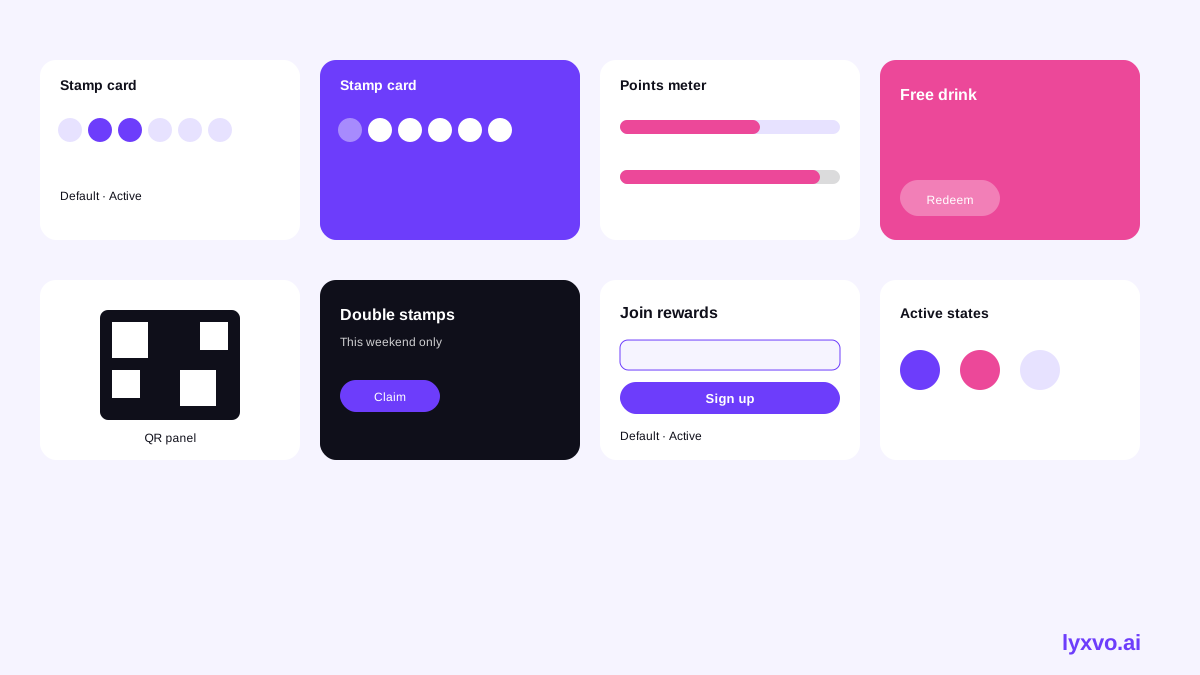
| Component | Job | Key states |
|---|---|---|
| Stamp card | Shows progress toward a reward | Empty, partial, complete |
| Points meter | Shows points balance and next tier | Low, mid, unlocked |
| Reward tile | Lists a redeemable item | Locked, available, redeemed |
| QR code panel | Lets staff scan the customer | Ready, scanning, confirmed |
| Offer banner | Promotes a limited deal | Active, expired |
| Sign-up card | Captures name and phone or email | Default, filled, error |
Stamp card
The stamp card is the emotional center of the app. Use a grid of 8 to 10 circles, filled with the brand color as stamps are earned. Keep the completed state celebratory but short, with a single line such as "Your free drink is ready."
Points meter and reward tile
If your shop uses points instead of stamps, the points meter replaces the card. Show the current balance and a progress bar to the next reward. Reward tiles sit below it as a simple list, with locked items greyed out and available items highlighted.
QR code panel
The QR panel should open full-screen with high contrast so baristas can scan it from a few centimeters away. Include the customer's first name and a short line of text as a fallback, in case the scanner fails.
Design rules that make components work
Before you draw anything, agree on a few rules so the components feel like one system:
- Use one primary color for progress and actions, and one accent for rewards.
- Keep button labels to two or three words, such as "Redeem reward" or "Show QR."
- Make tap targets at least 44 points tall on iOS and 48 dp on Android.
- Design for both light and dark mode, since many customers open apps in bright cafe lighting or at night.
- Write every empty state as an invitation, such as "Get your first stamp today," not as an error.
Note: Apple and Google publish current touch-target and typography guidance in their platform documentation. Check those guides for the latest values before final handoff.
Example: a complete home screen built from components
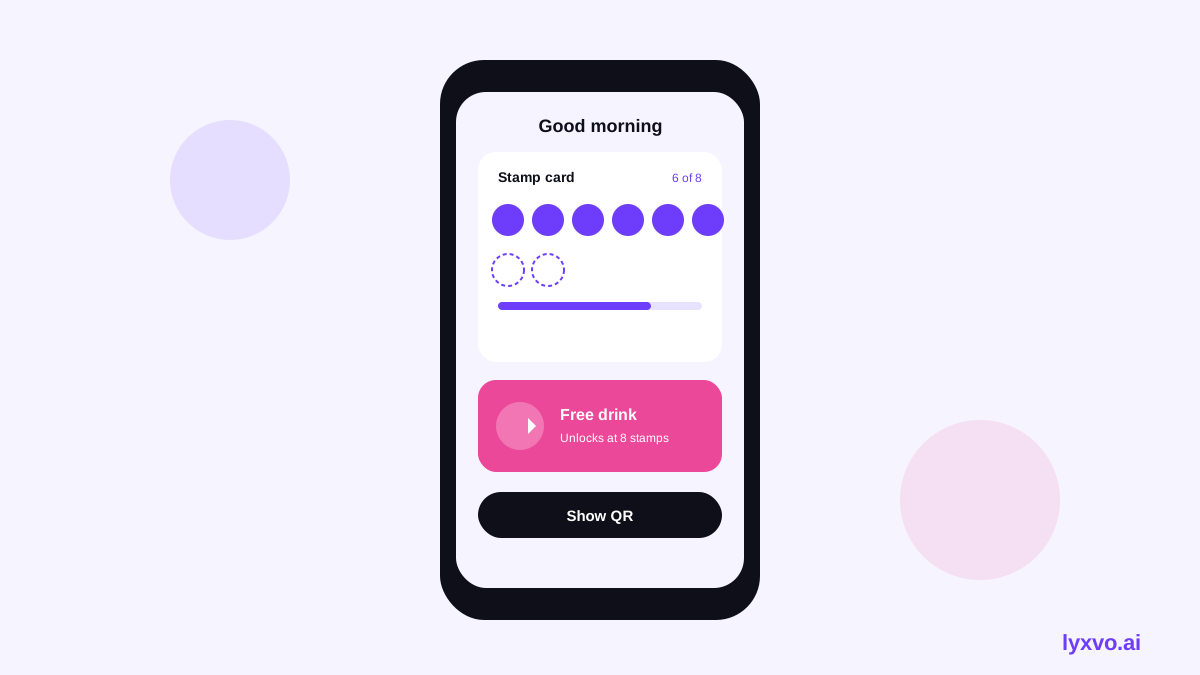
A simple home screen for a neighborhood cafe might stack four components from top to bottom:
- A greeting line with the customer's first name.
- The stamp card showing 6 of 8 stamps.
- A reward tile reading "Free oat latte, 2 stamps away."
- A row of two buttons: "Show QR" and "See rewards."
Because each piece is a reusable component, the redemption screen and the sign-up screen reuse the same card and button styles. That consistency is what makes a small app feel finished.
How to design these components with Lyxvo AI
Lyxvo AI includes a design agent that plans and then designs complete app screens for iOS, Android and web. You can use it to produce the components above as a coherent set.
- Open the app studio. Go to the app design studio and choose the platform you need. For a first version, start with a mobile layout.
- Describe the cafe and the loyalty rules. Write the brand mood, the primary color, the number of stamps or the points system, and the reward names. The more specific the brief, the more accurate the components.
- Ask for the component set. Request the stamp card, reward tiles, QR panel, offer banner and sign-up card as separate states. Ask for light and dark variants.
- Refine in the editor. Use the Canva-style editor to change text, photos and colors directly, so the stamp color matches your cafe's branding.
- Export for handoff. Download PNG at real size for stakeholder review, or export to Figma as SVG and design tokens so developers can rebuild the components. You can also export HTML, Flutter or Kotlin Jetpack Compose code.
For an introduction to the tool itself, see AI app design and AI UI design generator.
Checklist before you hand off the components
- Every component has all its states designed, not just the default.
- The stamp count and reward names match the real cafe offer.
- The QR panel is readable at arm's length and in bright light.
- Text contrast meets accessibility guidance for both themes.
- Empty, error and loading states are written in friendly language.
- Components are named consistently so developers can map them one to one.
Launching with a free test first
You do not need a paid plan to explore the layout. Lyxvo Lite offers a daily limit so you can start designing for free. When you need more output, compare options on the pricing page. If you later want a full multi-page app with login, a reward catalog and a staff dashboard, the Lyxvo Engine can build complete apps, and every account can try two pages free.
For reusable visuals beyond the app, the free design templates collection can help with printed menus and in-store posters, and the app icon generator can produce the full set of icon sizes once your logo is ready. Read more guides in the Lyxvo blog.
Summary
A cafe loyalty card app works best with a small, consistent component set: stamp card, points meter, reward tile, QR panel, offer banner and sign-up card. Design each one with clear states, follow simple touch and contrast rules, and hand off through Figma or code. With Lyxvo AI you can plan the screens, adjust them in the editor and export them at real size or as code, then test the app with real customers.
Try it in Lyxvo AI
Describe it in your own words and the design agent starts on the right flow. Free to start.
Related tool: AI UI design generator for apps and websites
Whole apps and websites are designed with the Lyxvo Engine, rented separately from the design plans; every account can try 2 pages free.