AI UI Flow for Tenant Lease Renewal Signing on Phone
An AI UI flow for tenant lease renewal signing on phone guides a renter from a renewal notice to a signed lease without a desk, printer or scanner. Done well, it shows the key terms clearly, asks for only the decisions that matter, and makes the signature step feel safe and final. This guide walks through the screens, the logic behind them, and how to design the whole flow in Lyxvo AI.
Why a phone-first renewal flow matters
Most tenants renew a lease in a rush. They get a notice, skim a long PDF on a small screen, and tap a signature box without knowing what changed. A good mobile flow fixes three problems: unclear changes, awkward navigation between documents, and weak confirmation that the signing actually happened.
Design the flow around the questions a tenant is really asking:
- What is changing in my rent, term and conditions?
- Do I need to do anything else before I sign?
- Did my signature go through, and do I have a copy?
Core screens in the flow
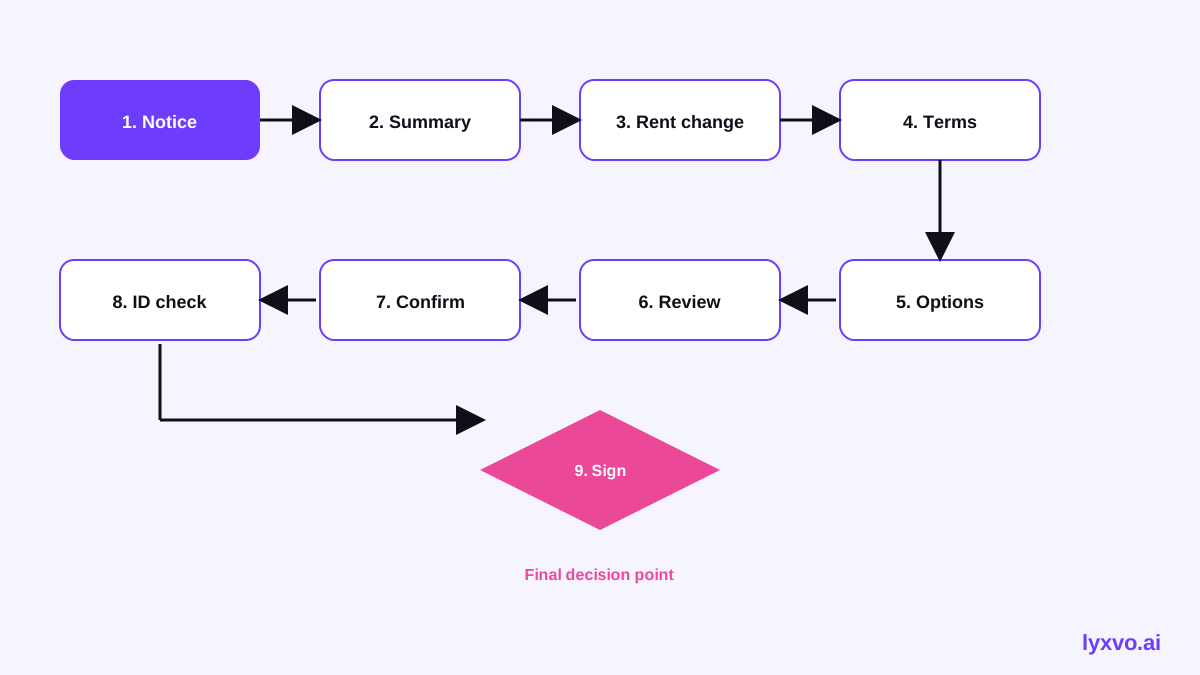
A renewal signing flow usually needs 7 to 9 screens. Keep each one focused on a single task.
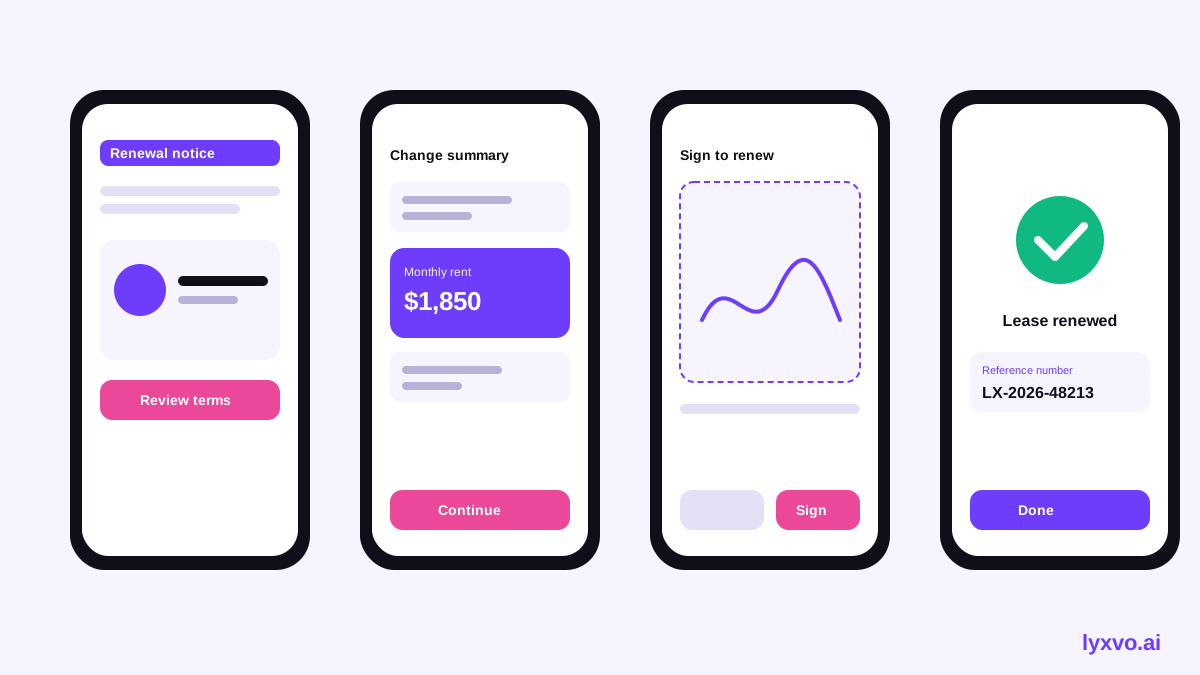
- Renewal notice (entry point). A card that shows the current end date, the new end date, and a clear primary button: "Review renewal."
- Change summary. A short list of what is different: new rent, new term length, any changed clauses. Use plain labels such as "Rent: $1,250 to $1,290 per month."
- Full lease reader. A scrollable document view with a sticky progress bar and a jump-to-section menu. Highlight changed clauses.
- Questions or edits. A simple way to ask about a clause, usually a comment button on each section.
- Identity and contact check. Confirm name, email and phone. Keep this short.
- Review and confirm. A final screen listing the key terms and the signing date before any signature is requested.
- Signature capture. Options to draw with a finger, type a name, or upload a saved signature, with a clear "Clear" button.
- Confirmation. A success state with a reference number, a download button for the signed PDF, and next steps (deposit, move-in, contact details).
- Error and resume state. If the connection drops, the user returns to the exact step they were on.
Interaction rules for small screens
- Use one primary button per screen, pinned to the bottom within thumb reach.
- Keep tap targets at least 44 pixels high.
- Show progress as "Step 3 of 7" rather than a percentage bar that users must interpret.
- Never hide the rent amount or end date behind a tap. Put key numbers on the first screen.
- Ask for signature last, after the tenant has seen every change.
Content and wording checklist
- Replace legal shorthand with plain sentences, while keeping the original clause text available.
- Use the same term for the same thing across screens ("renewal" not "extension" in one place and "renewal" elsewhere).
- State the consequence of signing: "By signing, you agree to a 12-month term starting [date]."
- Offer a way to request a paper copy or speak to the landlord.
Adding trust and clarity
Tenants hesitate to sign on a phone because they doubt the signature is valid. Show proof at every step:
- A progress tracker that stays visible.
- A recap screen before signing.
- A confirmation with a reference ID and an emailed copy.
Avoid decorative patterns that look like payment or security screens unless they really are. Keep the visual style calm and consistent with the landlord's brand.
How to design this flow in Lyxvo AI
Lyxvo AI's design agent can plan and build mobile screens for this kind of flow. You describe the product, and it produces app screens for iOS or Android.
- Open the AI UI design generator or the AI app design tool.
- Choose a mobile platform. In the studio, use /design/?platform=app.
- Describe the flow in plain language, for example: "Mobile lease renewal signing for tenants. Screens: renewal notice, change summary, full lease reader, review, signature capture, confirmation. Calm, trustworthy style, one primary button per screen, large tap targets."
- Review the generated screens and edit text, colors and photos directly in the Canva-style editor.
- Check the layout at phone size and adjust spacing for thumb reach.
- Export to PNG at real size for review, or to Figma (SVG and tokens) for handoff to your developers. Flutter or Kotlin Jetpack Compose code export is also available if you want a starting point for the build.
Note: Lyxvo AI produces screen designs and exportable code starters. Signature legality, lease wording and e-signature compliance depend on your jurisdiction and should be reviewed by a qualified professional before launch.
For a whole multi-page app with working navigation, the Lyxvo Engine is rented separately, and every account can try 2 pages free.
Testing the flow before launch
- Walk through the flow with five or more real tenants on their own phones.
- Time how long it takes to find the new rent amount. It should be on the first screen.
- Test a weak connection mid-signature and confirm the resume state works.
- Check that the confirmation email includes the signed PDF and reference number.
- Test with large text settings and a screen reader.
Summary
A strong AI UI flow for tenant lease renewal signing on phone shows changes first, keeps each screen focused, and treats the signature as a deliberate final step with clear proof afterward. Start with the screen list above, design it in Lyxvo AI, and test with real tenants before you ship.
Try it in Lyxvo AI
Describe it in your own words and the design agent starts on the right flow. Free to start.
Related tool: AI UI design generator for apps and websites
Whole apps and websites are designed with the Lyxvo Engine, rented separately from the design plans; every account can try 2 pages free.