AI Website Design for a Yoga Teacher Retreat Sales Page
An AI website design tool can turn a yoga retreat idea into a clear sales page in an afternoon, if you know what the page must do. This guide walks through the sections a retreat page needs, how to write each one, and how to build it in Lyxvo AI.
Why a retreat sales page works differently
A retreat is a big purchase with a long decision. Guests want to know where they will sleep, what the days look like, who is teaching, what is included, and what happens if they cannot attend. A regular landing page with a single photo and a "Book now" button rarely answers those questions.
A good retreat sales page does three jobs: it helps the visitor imagine being there, it removes doubt about logistics and safety, and it makes booking simple. Keep those three jobs in mind as you plan the layout.
Plan the sections before you design
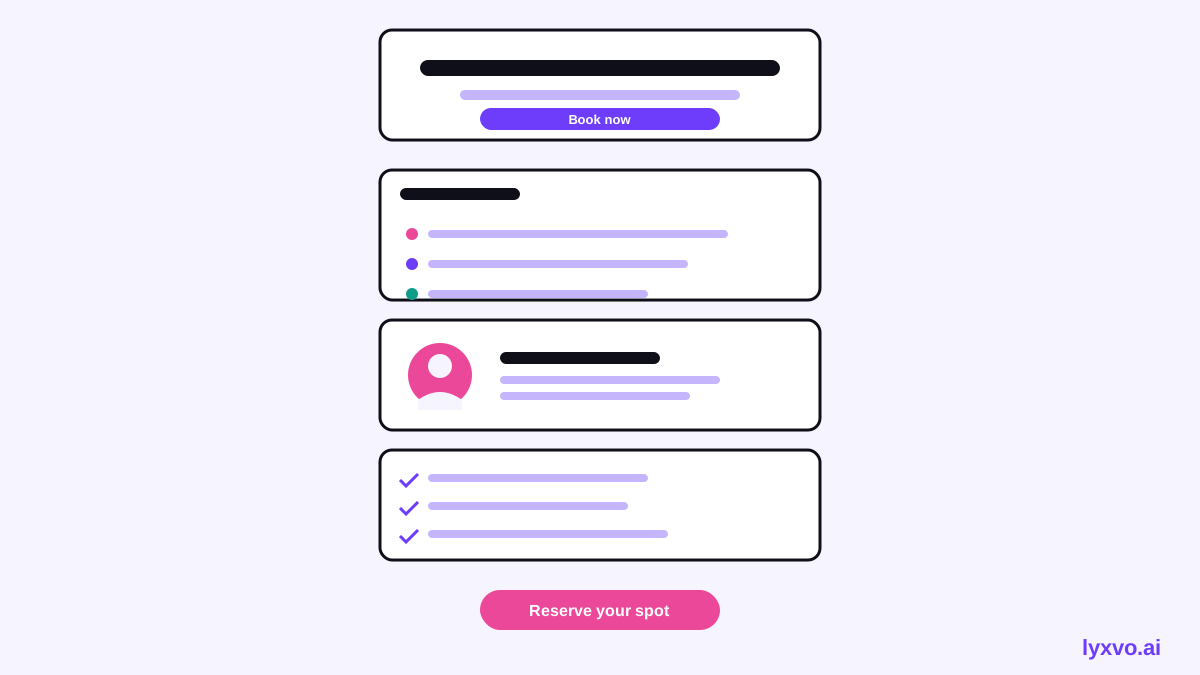
Write the page outline first. A typical structure for a yoga teacher retreat looks like this:
- Hero with the retreat name, dates, location and one clear booking button
- The feeling, a short paragraph about what guests will experience
- Daily schedule showing practices, meals and free time
- The teacher, with credentials and a personal note
- The venue, with photos, room types and what is nearby
- What is included and what is not
- Price and payment options, including deposits or payment plans
- Questions and policies: cancellations, dietary needs, fitness level
- Final call to action, repeated with the date and spots left
Keep the hero above the fold, and place a booking button after every two or three sections so visitors never have to scroll far to act.
Write copy blocks that answer real questions
Yoga retreat buyers often hesitate for practical reasons. Write short, direct blocks for each of these:
- Experience level: "Open to beginners who can sit on the floor for 20 minutes, with modifications offered in every session."
- Daily rhythm: list the times for morning practice, meals, sessions and rest.
- Inclusions: rooms, meals, transfers, materials. State exactly what is excluded.
- Policies: how deposits work, refund windows, and what happens if the retreat is rescheduled.
Avoid vague promises like "transform your life." Specific details build more trust than big claims.
Design choices that suit a yoga brand
Yoga pages usually look best with generous white space, natural tones and large, calm photography. Use one typeface for headings and one for body text, keep line length comfortable, and make the booking button a consistent color that appears nowhere else on the page. Test the mobile layout carefully, since many visitors will read on their phones while planning a trip.
Build the page in Lyxvo AI
Lyxvo AI includes an AI website design tool that can plan and generate complete website screens for web and mobile. A practical workflow looks like this:
- Open the AI website design page and describe your retreat: name, dates, location, teacher, price, and the sections from your outline.
- Review the generated layout. Check that the schedule, inclusions and policies sit in the order your visitors will need them.
- Use the Canva-style editor to replace the placeholder text with your real copy, and swap in your own venue and teacher photos.
- Adjust colors and fonts directly so the page matches your existing brand.
- Preview on a phone-sized screen and fix spacing where needed.
If you also need a booking graphic or social posts to drive traffic, you can create them in the Instagram post studio and the Instagram story studio, and make a short flyer for local studios.
Test before you publish
Before going live, check the page against this list:
- [ ] Dates, price and location are correct and consistent across sections
- [ ] Booking button appears in the hero and at least two later points
- [ ] Cancellation and deposit terms are visible without clicking away
- [ ] Photos are your own or properly licensed
- [ ] The page loads quickly and reads well on a phone
- [ ] A friend who has never heard of the retreat can explain what they would get
Keep the page current
Retreat pages go stale quickly. Update spots left, dates and early-bird pricing as they change, and archive past retreats rather than leaving them live. If you run several retreats a year, reuse your structure and change only the content. A consistent template makes each new launch faster.
Frequently asked questions
Do I need design skills to build a retreat sales page? No. Start from a clear outline and use an AI tool to produce the layout, then refine the text and photos yourself.
How long should the page be? Long enough to answer every practical question, usually a scrolling page with clearly separated sections. Length is less of a problem than clutter.
Should I include a video? A short clip of the space and a few minutes of teaching can help, but keep the page fast to load and make sure the text carries the key information on its own.
Summary
A strong yoga teacher retreat sales page plans its sections first, answers logistics and policies clearly, uses calm and specific design, and repeats a simple booking action. With an AI website design tool, you can move from outline to a publishable draft in one session, then spend your time on the details that make guests feel ready to book.
Try it in Lyxvo AI
Describe it in your own words and the design agent starts on the right flow. Free to start.
Related tool: AI website designer, from landing page to full site
Whole apps and websites are designed with the Lyxvo Engine, rented separately from the design plans; every account can try 2 pages free.