AI Wine List Design for a Small Bistro

An AI wine list design for a small bistro can go from blank page to print-ready menu in an afternoon, if you plan the content first. This guide shows you how to structure the list, lay it out for readability, and produce a clean file for the printer.
A wine list does a lot of work for a small bistro. It sells bottles, guides guests who are not sure what to order, and carries your brand onto the table. Good design makes it easy to scan in dim light, and a clear structure makes ordering feel simple.
Plan the content before you design
Design goes faster when the list is settled first. Write down every bottle and glass with the details a guest needs: producer, region, vintage, grape or style, and price by the glass and by the bottle.
Group wines in a way guests already think. Common choices are:
- By style: sparkling, white, rosé, red, dessert
- By body or mood: light and crisp, rich and structured, special occasion
- By origin: France, Italy, Spain, local producers
Keep each section short. Six to eight wines per section is easier to read than twenty.
Choose a layout that reads quickly
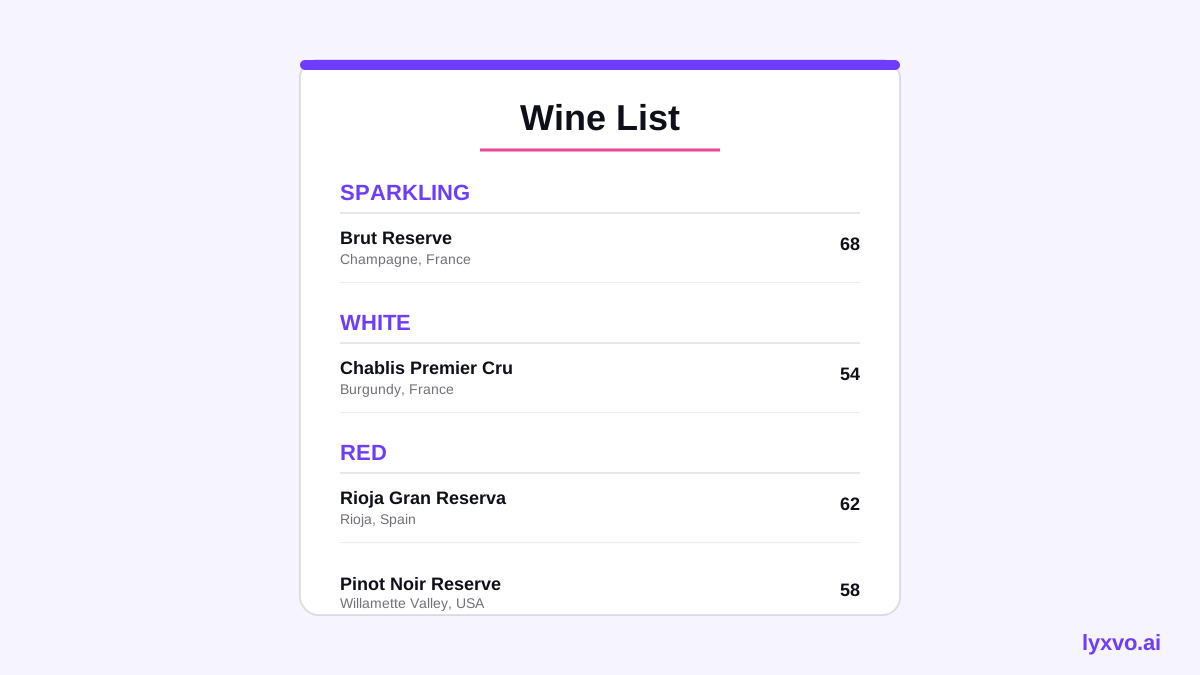
A small bistro usually needs one page or a folded card. Use a single column or two clear columns, with generous line spacing. Put the wine name in bold, then the producer and region in a lighter weight, then the price aligned to the right.
Typography and color
- Use one display font for section titles and one readable font for entries
- Keep body text at a size easy to read at arm's length
- Limit your palette to two or three colors that match your interior
- Leave white space around each section so the eye can rest
Sizes for print
For a standard folded menu or a single sheet, design at the final print size and at 300 dpi so text stays sharp. Confirm the exact dimensions with your printer before you start, because margins and bleed depend on their press.
Build the list in Lyxvo AI
Lyxvo AI includes a design agent that can plan and build layouts from your content, plus a Canva-style editor for fine adjustments. You can start from a template or describe the menu you want.
- Open the studio. Go to Lyxvo AI and choose a print format. For posters and flyers, the flyer studio is a good starting point, and the AI menu maker is built for food and drink lists.
- Paste your content. Enter sections, wine names, producers, regions, vintages and prices in the order you want them to appear.
- Let the agent plan the layout. Review the section structure it proposes and reorder anything that does not match how guests browse.
- Edit directly. Change fonts, colors and spacing in the editor. Click any price or name to correct it.
- Use the brand colors. Apply your logo and palette so the list matches the room.
- Export at real size. Export as a PDF or PNG at print resolution and check the proof with your printer.
If you want a matching sign or a social post to announce a new list, you can reuse the same colors and fonts in the social media post generator or the poster maker.
A checklist before you print
Run through this list before sending the file:
- Every price is correct, including the glass and bottle options
- Vintages and producers are spelled the way your suppliers spell them
- Sections are ordered from light to rich, or by how guests choose
- Text is legible at the final print size
- Allergens or sulfite notes are included if your local rules require them
- The file is at 300 dpi and the printer has confirmed the dimensions
Tip: Print one test copy on regular paper at full size. Hold it at the table distance you expect guests to use. If you squint, increase the font size.
Keep the list easy to update
Wines change often, so design for updates. Keep the source content in one place, such as a simple spreadsheet, and rebuild the layout when stock changes. A fixed structure makes reprints fast: you only swap the bottles, not the whole design.
For a bistro that also runs a website, you can link the wine list from your homepage and keep the same visual identity. Consistent design across print and digital helps guests trust the menu.
Final thoughts
An AI wine list design for a small bistro works best when the content is ready before the layout starts. Plan the sections, keep the typography clean, check print sizes with your printer, and keep the source list easy to edit. With that approach, a one-page wine list can be finished, proofed and printed in a single afternoon.
Try it in Lyxvo AI
Describe it in your own words and the design agent starts on the right flow. Free to start.
Related tool: Free design templates you can edit in minutes