Flyer for Band Gig at Local Bar: A Practical Design Guide
A good flyer for a band gig at a local bar gets people to read it for two seconds and remember the date. This guide shows what to put on it, how to lay it out and how to make a print-ready file.
Why a band gig flyer still works
Even with social media, paper flyers and posters still help a local show. People pick them up at the bar, see them on a café noticeboard or photograph them on the way past. A flyer that works at a glance does most of the promotion for you.
The goal is simple: someone walking past should know who is playing, where, when and why they should come.
What every gig flyer needs
Keep the essentials big and readable. Use this checklist before you print:
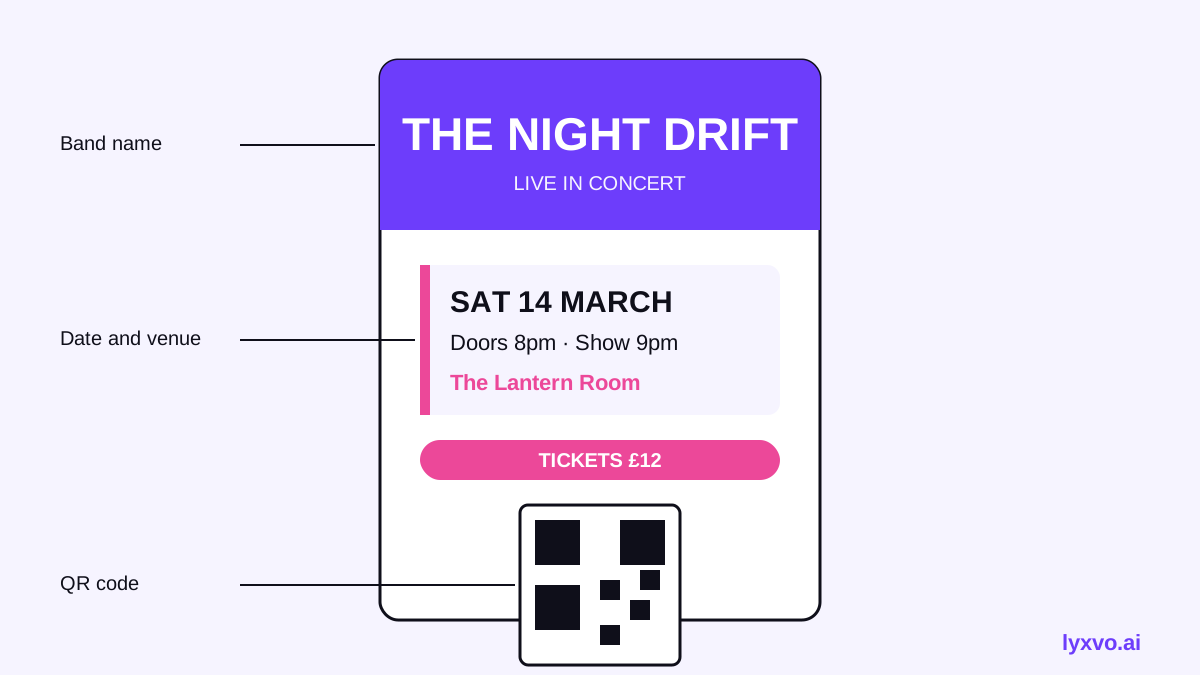
- Band name: the largest element on the page, in a font people can read from a metre away.
- Date and time: include the day of the week, the date and the start time. Doors time is useful too.
- Venue name and address or area: "The Anchor, Harbour Street" is clearer than just a bar name.
- Entry details: free, pay-what-you-can, or a ticket price. Say "21+" or "all ages" if it matters.
- Support acts and genre: one line is enough, such as "with The Night Tides · indie rock".
- A link or handle: a short web address, QR code or social handle for more information.
Leave out long paragraphs, band biographies and tiny sponsor logos. They make the flyer harder to read.
Choose the right size and format
For a bar gig, these formats are the most common:
| Format | Typical use | Notes |
|---|---|---|
| A5 (148 × 210 mm) | Handouts, table cards | Easy to hand out and keep |
| A4 (210 × 297 mm) | Noticeboards, window display | Readable from further away |
| A3 or poster size | Bar entrance, street poles | Needs bold, minimal text |
| Square social post | Instagram or Facebook event | Same content, sized for screens |
For printing, set your file to 300 dpi at the exact final size, and include a small bleed margin if your printer asks for one. Check the printer's guidance before you send the file, because requirements vary.
Design layout tips that work
- Lead with the band name. It is the reason people come, so make it the strongest element.
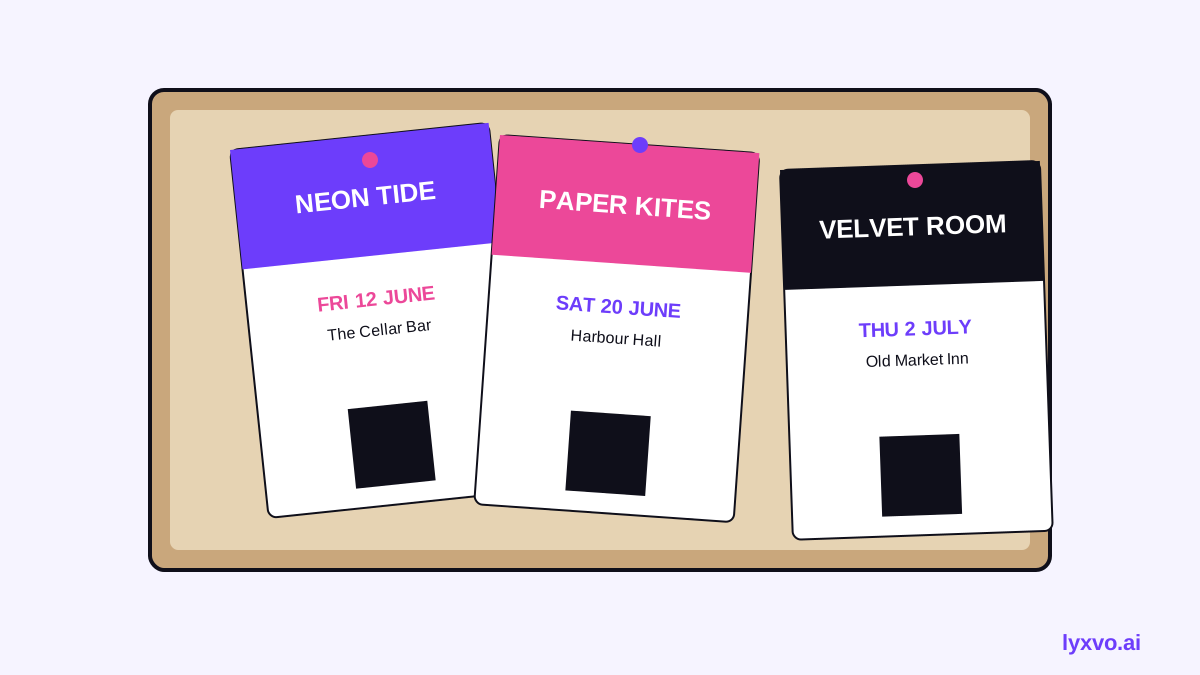
- Use two or three colours at most. Pick one bold accent colour that matches the bar's vibe.
- Group the details. Put date, time and venue together in one block so the eye finds them in one place.
- Keep contrast high. Dark text on light backgrounds, or white on a deep colour, reads best in a dim bar or on a busy wall.
- Add one image. A band photo, a graphic or a simple texture gives the flyer personality. Avoid cluttering it with several pictures.
- Make a QR code large enough to scan. Test it on a phone before printing.
How to make a band gig flyer in Lyxvo AI
You can build the whole flyer in Lyxvo AI's flyer maker or open the flyer format in the studio directly at /design/?format=flyer. Here is a practical workflow:
- Open the flyer format in the Lyxvo AI studio.
- Describe the gig in plain words, for example: "Flyer for a Friday indie gig at a local bar, band name big at top, date and entry price in a clear block, moody dark background with warm accent colour." The design agent plans the layout and creates the first design.
- Edit the text directly in the Canva-style editor. Change the band name, date, time, venue and price. Adjust colours and swap in your band photo.
- Use the ready-made free design templates if you want a starting layout to adapt.
- If you also want social posts, use Magic Resize to adapt the flyer to other sizes, or create a square event post with the social media post generator.
- Export at real size as PNG for print, or export a PDF-ready file at the size your printer needs. Check the export options in the editor, as they depend on your plan.
If the band is working with a collaborator, the editor supports real-time collaboration, so the bassist or the bar manager can check the details before you print.
Always double-check the date, time, venue address and ticket price against the bar's confirmed listing before printing. A wrong detail on paper cannot be fixed after it is handed out.
Printing and distribution tips
- Print a small test batch first to check colours and text size.
- Ask the bar if you can place flyers on the counter, toilet doors or the noticeboard.
- Put a flyer in the hands of the people who will likely come: friends, fans, neighbours.
- Post the same design on the band's social pages so everyone sees one consistent image.
- Take a photo of the flyer in place so you can share where it is hung.
Common mistakes to avoid
- Too much text. If it needs a long read, people will skip it.
- Tiny venue or date text. These are the details people need most.
- Low-resolution images. Blurry band photos look unprofessional on print.
- No date or year context. For an event, make sure the date is unambiguous.
- Forgetting the call to action. Tell people what to do: come, buy tickets, follow the band.
Quick final checklist
- Band name is the biggest element.
- Date, day, time and venue are clear and correct.
- Entry price or "free" is stated.
- Contrast is high and text is readable at arm's length.
- Image is sharp and at 300 dpi for print.
- QR code or link has been tested.
- Size matches where the flyer will be displayed.
With a clear layout and an accurate set of details, a simple flyer can fill a room. Start your design in Lyxvo AI and adapt it for print and social in one place.
Try it in Lyxvo AI
Describe it in your own words and the design agent starts on the right flow. Free to start.
Related tool: AI flyer and poster maker, print-ready