Moodboard for a Boutique Hotel Lobby Refresh

A moodboard for a boutique hotel lobby refresh is the fastest way to agree on a look before anyone orders a sofa or repaints a wall. It turns a vague wish like "warmer and more local" into concrete colors, materials, furniture and lighting that your team, designers and owners can all react to. This guide walks through how to build one step by step, what to include, and how to turn it into a practical decor plan.
Why a lobby moodboard comes before any purchase
The lobby is the first room guests see and the last one they remember. Because it does many jobs at once (check-in, lounge, café corner, photo spot), decisions made in isolation often clash. A moodboard puts every option on one page so you can see whether the textures, colors and lighting actually work together.
A good moodboard does three things:
- It sets a shared direction for owners, managers and any outside designer.
- It limits choices, so you are not comparing 80 sofas at once.
- It doubles as a brief for suppliers and a reference when the work is installed.
Step 1: Define the mood in three to five words
Start with words, not pictures. Ask what a guest should feel in the first ten seconds. Common answers for boutique hotels include "calm," "local," "warm," "quietly luxurious" and "a little playful." Pick three to five and write them at the top of your board. Every image you add must support at least one of those words.
Tip: if two words pull in opposite directions (for example "minimal" and "maximalist"), choose one or describe the balance you want, such as "minimal structure with bold textiles."
Step 2: Gather references, then cut hard
Collect 30 to 60 reference images from hotels you admire, local craft, architecture, nature and your own building. Then reduce them to about 8 to 12 strong images. Keep images that show a lighting mood, a material or a color, not just a pretty room. Note which building features you must keep, such as columns, original tiles or a fireplace.
Step 3: Build the palette and material set
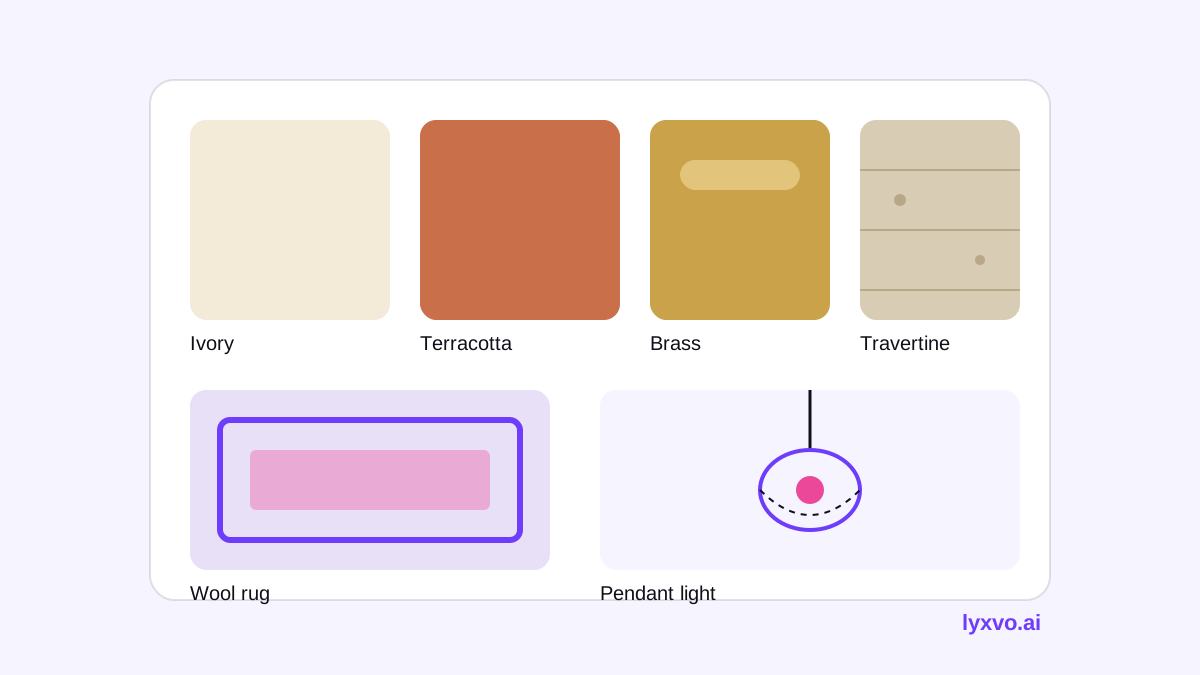
A lobby moodboard should have a clear palette and a short list of materials. Most boutique concepts work with:
| Element | What to decide | Example choice |
|---|---|---|
| Base colors | 2 neutrals for walls and floors | Warm ivory, smoked oak |
| Accent colors | 1 or 2 colors for textiles and art | Terracotta, deep olive |
| Materials | 3 to 4 main finishes | Brushed brass, travertine, linen, bouclé |
| Lighting | Color temperature and style | 2700K warm white, sculptural pendants |
| Textures | Rugs, upholstery, acoustic panels | Wool rug, boucle armchairs |
Keep the palette tight. Guests notice consistency more than individual flourishes.
Step 4: Add the furniture and decor anchors
Choose two or three anchor pieces that will define the room: a reception desk, a statement light, a lounge sofa or a large art piece. Show them on the board at the scale they will actually have. Then add supporting items such as side tables, plants and accessories, but keep them as a secondary layer.
Step 5: Check the board against the real room
Place the moodboard next to a photo of your lobby. Ask:
- Does the palette still work under your existing daylight and artificial light?
- Will the anchor pieces fit the traffic paths and the check-in queue?
- Do the materials suit the cleaning and wear you expect in a busy entrance?
- Is the budget realistic for the list of items?
If the answer is no to any of these, revise the board before you buy anything.
Step 6: Turn the board into a decor shopping list
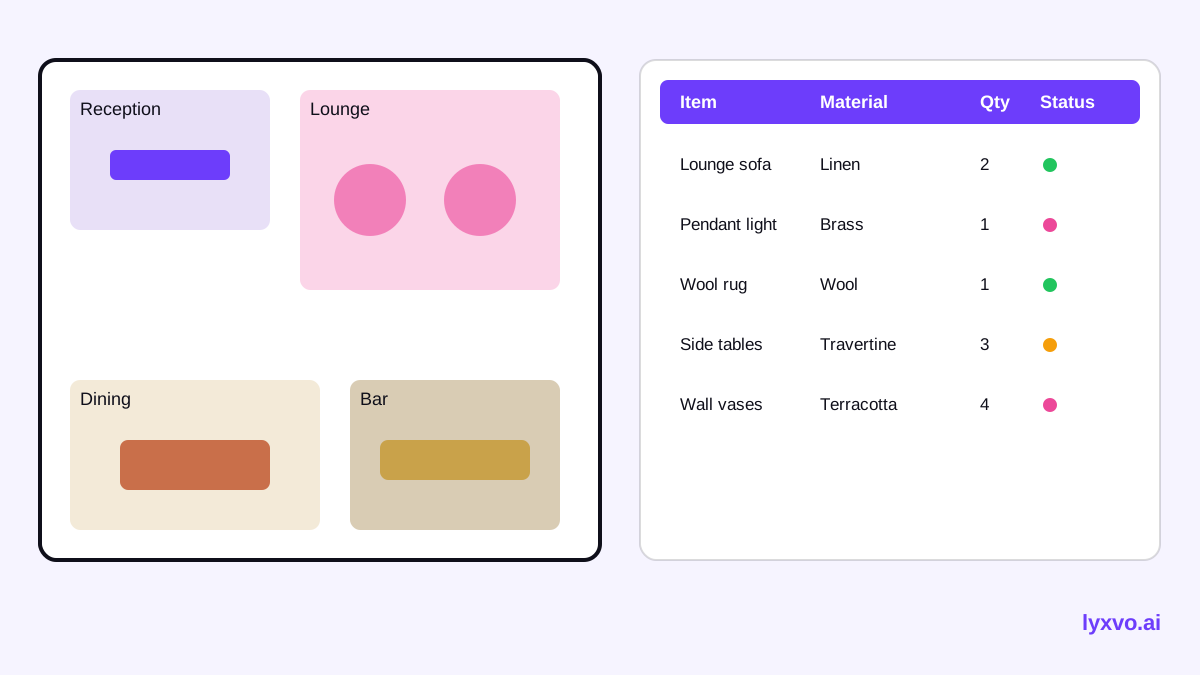
Once the board is approved, convert it into a list with item, material, finish, quantity, supplier and status. Group items by zone (reception, lounge, corridor, café). This list is what your procurement team or contractor will work from, and it keeps the final room close to the concept.
How to make this moodboard in Lyxvo AI
Lyxvo AI's interior and decor design tools can help you move from references to a concrete plan. You can design a room from scratch or start from a photo of your lobby, then generate a room moodboard, a 2D floor plan and a decor shopping list. The outputs are designs and plans rather than photorealistic renders, which suits concept approval and supplier briefs.
A practical workflow:
- Open AI interior design and choose to start from a photo of the lobby or from scratch.
- Enter your three to five mood words and palette preferences.
- Review the generated moodboard and swap items in the Canva-style editor: change colors, replace materials and edit text labels directly.
- Use the 2D floor plan to check furniture placement and circulation.
- Export the moodboard as a PNG at real size for presentations, and keep the decor shopping list for procurement.
For the graphics around your presentation, such as a brand board or a slide deck for the owners, you can use the presentation maker or start from free design templates. Visual options are also in the studio.
Common mistakes to avoid
- Too many ideas. More than four or five accent colors makes the room feel busy.
- Ignoring the existing building. Keep the features guests already love.
- Choosing photos over function. A beautiful sofa in a pathway will fail on day one.
- Skipping lighting. Mood depends heavily on light temperature and layering.
- Forgetting maintenance. Test materials for stains, wear and cleaning before you commit.
Checklist before you present the moodboard
- [ ] Three to five mood words written at the top
- [ ] Palette limited to two neutrals and one or two accents
- [ ] Three to four main materials listed with finishes
- [ ] Lighting temperature and fixture style noted
- [ ] Two or three anchor pieces shown at true scale
- [ ] Checked against a photo of the real lobby
- [ ] Budget and decor shopping list prepared by zone
Next steps
Once the moodboard is approved, keep it as the single reference for every later decision. Revisit it at each stage, from ordering to installation, so the finished lobby matches the mood your guests will remember.
Try it in Lyxvo AI
Describe it in your own words and the design agent starts on the right flow. Free to start.
Related tool: AI interior design for any room