Poster Generator for a Small Coffee Roaster Launch
A poster generator for a small coffee roaster launch helps you turn your brand, your first coffees and your opening date into a print-ready poster without hiring a designer for every version. This guide covers what a launch poster needs, the sizes to use, and how to make one in Lyxvo AI. A good launch poster does one job: it makes a passerby stop, understand what you roast, and remember where to find you.
What a coffee roaster launch poster needs to do
Your poster will most likely hang in a café window, a community board, a local shop or a campus noticeboard. People see it for a few seconds while walking past. In that time it should answer three questions: what is it, why should I care, and what do I do next.
For a small roaster, that usually means:
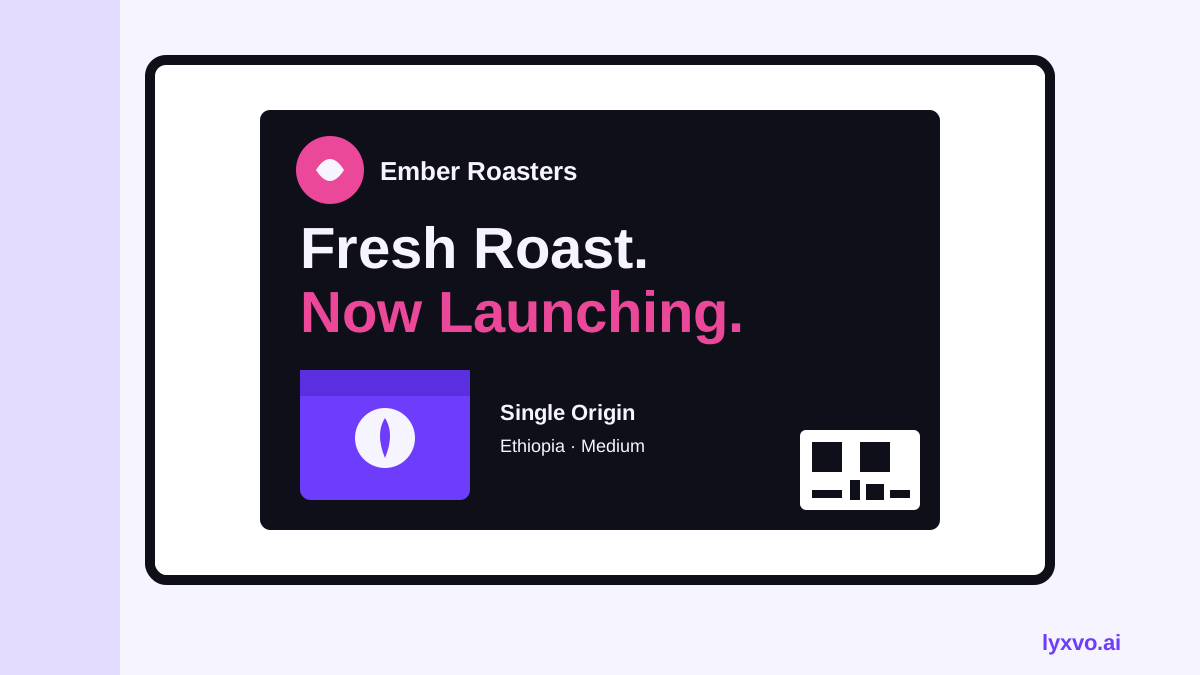
- Your roaster name and logo, large and readable from across the street
- One clear headline, such as "Fresh-roasted coffee arrives in [neighborhood]"
- A visual cue of your coffee: a bag, a bean close-up, a cup, or a roasting moment
- The launch date, time and place (or your opening hours)
- One call to action, such as "Free tasting Saturday" or "Scan for our first-order discount"
- Your website or Instagram handle, with a QR code if it fits
If a poster tries to say everything about your origins, roast profiles and story, nobody reads it. Keep the message short and let the details live on your website or menu.
Choose the right size and resolution
Before you design, decide where the poster will be printed. Common sizes for a launch poster:
| Use | Suggested size | Notes |
|---|---|---|
| Café window or door | A3 (297 × 420 mm) | Readable from a few meters away |
| Shop noticeboard | A4 (210 × 297 mm) | Good for close reading |
| Large storefront poster | A2 (420 × 594 mm) | Needs a clear headline and high-contrast image |
| Social share version | 1080 × 1350 px or 1080 × 1080 px | Use an Instagram post format |
For print, set the file to 300 dpi at final size, and keep text at least 5 mm from the trim edge. Add 3 mm of bleed if your printer asks for it. A poster that looks sharp on screen but is exported at low resolution will look blurry on paper.
Step-by-step: write the copy first
Write your text before you choose colors. A simple structure works well:
- Headline (5 to 8 words): "Our first roast is ready, and so are you."
- Subhead (one line): "Small-batch coffee, roasted in [city] every Tuesday."
- Key details: date, time, location, or a discount code.
- Call to action: "Taste it free on Saturday, 9 to 12."
- Contact line: website, handle, phone, and a QR code.
Use one or two font families at most. A bold sans-serif headline with a readable body font suits most roasters, and a warm accent color that echoes roasted beans (deep brown, caramel, cream) gives the poster a recognizable look.
How to make a launch poster in Lyxvo AI
Lyxvo AI can create a poster from your brief and then let you edit everything directly. Here is a practical workflow:
- Open the AI flyer and poster maker or go straight to the Studio poster flow.
- Describe your roaster in one or two sentences: name, city, the coffee style you roast, the launch date and the offer. The more specific your brief, the closer the first draft will be.
- Review the generated layouts. Pick the one with the clearest headline and the most room for your logo.
- Use the Canva-style editor to replace placeholder text with your real copy. Change the headline, date and call to action directly on the canvas.
- Swap the image for your own photo of a bag, a cup or the roaster drum if you have one, then adjust brand colors so they match your logo.
- Check spacing and contrast: the headline should read clearly from a few steps back.
- Export as a print file at real size for your printer, or as a PNG for social sharing.
If you also need a square or vertical version for Instagram, the Magic Resize feature can adapt the layout to a new format, so you do not have to rebuild the poster from scratch. For a social-first version of your launch, see the social media post generator.
Tip: Your logo and brand colors may already exist in your Lyxvo AI project. If you do not have a logo yet, start with the logo generator and carry the same colors into the poster.
A launch poster checklist
Before you print, check each item:
- [ ] Roaster name and logo are visible from 3 meters
- [ ] Headline is short and states the offer or the news
- [ ] Date, time and address are correct and proofread
- [ ] Call to action is one clear step
- [ ] Contrast between text and background is strong
- [ ] File is 300 dpi at final size, with bleed if needed
- [ ] QR code links to a working page (test it on your phone)
- [ ] Same colors and fonts as your bags, cups and website
Variations for a launch campaign
One poster rarely covers everything. Plan a small set:
- A window poster with the big headline and the opening date
- A tasting-day flyer with the schedule and what people will taste
- A social post for Instagram or Facebook pointing to the same offer
- A table tent or counter card that repeats the discount code
Keeping the same headline and colors across all of them makes the launch feel organized, even on a small budget.
Common mistakes to avoid
- Too much text. If you need a paragraph to explain the poster, shorten the headline.
- Small QR codes. Make the code at least 2 cm square on print, with white space around it.
- Low-resolution photos. Use the highest-quality image you have, even on social posts.
- No date or location. A launch poster without a date gives people no reason to act now.
- Mismatched branding. If the poster looks different from your bags and website, people may not connect them.
Once your poster is ready, you can reuse the same design for a flyer or a menu so your whole launch looks like one brand.
Try it in Lyxvo AI
Describe it in your own words and the design agent starts on the right flow. Free to start.
Related tool: AI poster maker for events, promos and concerts