Poster Maker for Pet Adoption Day Event: How to Design One That Gets People Through the Door
A good poster maker for pet adoption day event helps you turn a few facts about your shelter or rescue into a clear, eye-catching flyer in minutes. This guide shows what to include, how to size and print it, and how to build it in Lyxvo AI.
Why a pet adoption poster needs to work in three seconds
People walking past a notice board, scrolling a community group, or stopping at a market stall give a poster only a glance. Your design has to answer three questions immediately: what is happening, when and where it happens, and why they should care about animals.
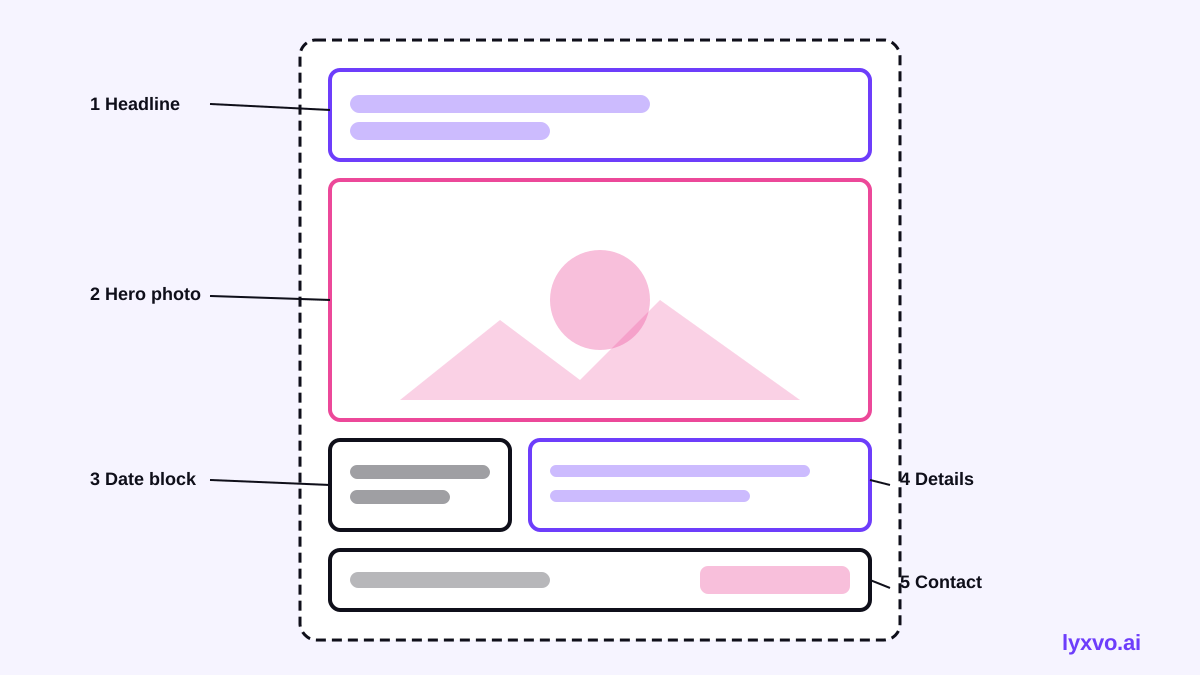
A strong adoption day poster usually has one hero image (a friendly face works best), a short headline, and a small set of practical details. Everything else is noise.
What to include on the poster
Use this checklist before you start designing:
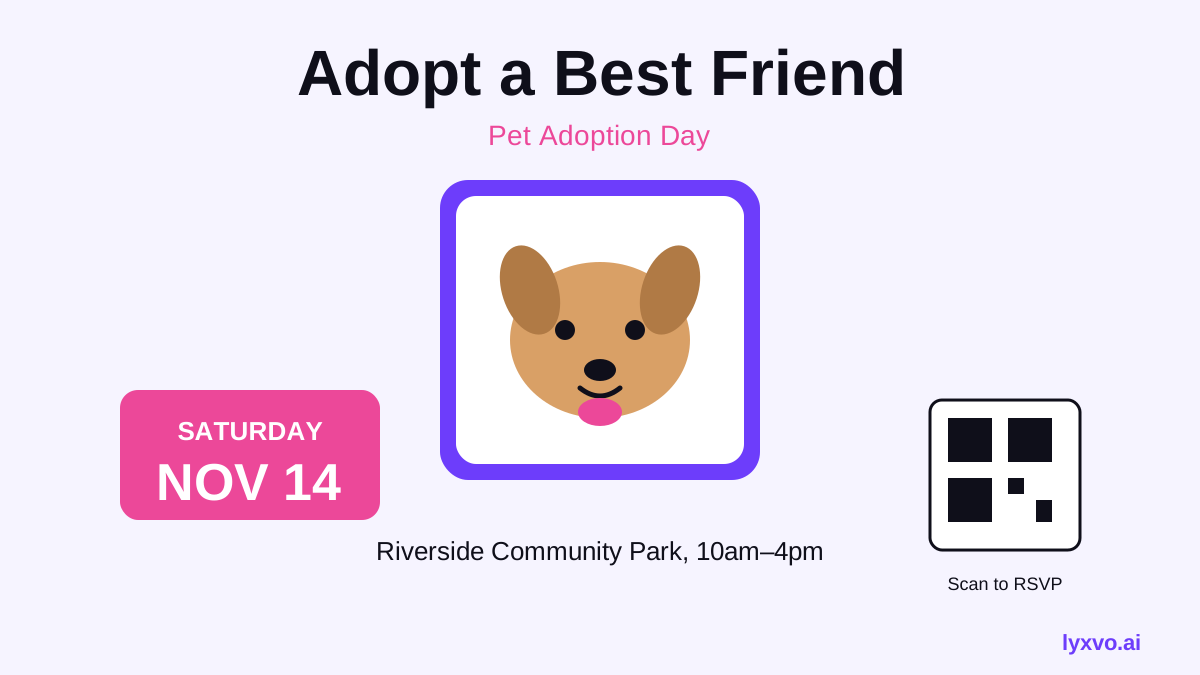
- Headline: the event name, for example "Pet Adoption Day" or "Adopt a Friend This Saturday."
- Hero image: one clear photo of a dog, cat or other animal, looking toward the viewer.
- Date and time: written in full, such as "Saturday, 14 March, 10:00 to 16:00."
- Location: venue name plus a simple address or landmark.
- Call to action: "Walk-ins welcome," "Meet your match," or a link or QR code to your adoption page.
- Contact: phone number, website or social handle.
- Logo: your shelter or rescue name, kept small but visible.
If the poster is for a free or reduced-fee event, say so in large type. It is one of the most motivating details for passers-by.
Choose the right size and resolution
Before you design, decide where the poster will appear. The same content needs different sizes:
| Use | Format | Notes |
|---|---|---|
| Printed A3 or A4 poster | Portrait | Print at 300 dpi for sharp photos and text |
| Printed flyer | A5 or A6 | Keep the QR code large enough to scan |
| Instagram post | Square | Use the feed post format |
| Instagram or WhatsApp story | Vertical | Leave the top and bottom clear for interface overlays |
| Facebook event cover | Landscape | Put the event name in the centre |
For print, use a resolution of 300 dpi. For screens, a high-quality PNG at the platform's exact size keeps everything crisp.
Design principles that work for animal events
Use a warm, readable palette. Two or three colours is enough. Choose one bright accent colour for the headline or call to action, and keep the background calm so the animal photo stands out.
Pick one strong photo. Use a photo of an animal in good light, with a clear background. Avoid crowded shots of many animals at once; a single face creates more connection.
Make the headline short. Four to six words is ideal. "Adopt, Don't Shop" or "Your New Best Friend Is Here" reads faster than a sentence.
Keep the date large. Many people will remember the date but not the time. Make the date the second most prominent element after the headline.
Leave breathing room. Empty space makes the poster look confident and easier to read from a distance.
How to make the poster in Lyxvo AI
Lyxvo AI's design agent can build a poster from a short brief, and you can then edit every text block, photo and colour directly in the Canva-style editor. Here is a practical workflow:
- Open the AI flyer maker or the AI poster maker and describe your event: the shelter name, date, location, and the tone you want (friendly, playful, urgent).
- Review the first design the agent produces. Check that the headline, date and contact details are correct.
- Replace the placeholder photo with your own photo of an adoptable animal. Use the photo tools to adjust brightness or crop so the face is centred.
- Adjust colours so your brand palette is consistent with your website and social accounts.
- Export a print-ready version at 300 dpi for posters, and use Magic Resize to create a square version for Instagram and a vertical one for stories.
- If you run social posts too, make them in the AI social media post generator using the same colours and fonts.
You can start with free design templates if you want a head start on the layout. Lyxvo Lite gives you a daily allowance to try the tools before choosing a plan on the pricing page.
Printing and distribution tips
- Print a small test batch first to check colours and legibility from two or three metres.
- Use a QR code that links to your adoption listings, and test it on a phone before printing.
- Post in places with foot traffic: vet clinics, pet shops, community boards, libraries and cafés (ask permission first).
- Share the same design as a social post a week before the event, and a story on the day.
- Ask volunteers to bring extra copies so you can refresh posters that get damaged or taken down.
Checklist before you publish
- Event name, date and time are correct and written out in full.
- Address or landmark is accurate.
- Phone number or link is working.
- Photo is high resolution and you have permission to use it.
- Text is readable at a distance and the QR code scans.
- Print file is at 300 dpi and social versions use the correct sizes.
A clear, warm poster does more than decorate a wall. It tells people exactly where to go and gives every animal in your care a better chance of meeting its new family.
Try it in Lyxvo AI
Describe it in your own words and the design agent starts on the right flow. Free to start.
Related tool: AI poster maker for events, promos and concerts